
Pressing Bake or Start only to get silence and a frozen display is one of the fastest ways to derail dinner, especially during busy winter cooking. When oven buttons stop working, the problem is often an accidental lock, grease buildup, or a brief control glitch rather than a dead appliance. Work through these six safe DIY fixes in order to restore your keypad and see whether a part needs professional attention.
1. Turn Off the Oven Control Lock
Most modern ranges include a Control Lock or Child Lock feature that disables every button on the keypad while leaving the clock visible. It is easy to trigger by accident while wiping down the backsplash or reaching across the stovetop.
- Look closely at the display for a small padlock icon, the letters
LOC, or a glowing light next to "Control Lock." - Locate the key labeled
Lock,Control Lock,Cancel,Start, orClock—many ovens print a tiny padlock symbol beneath a shared button. - Press and hold that button firmly for three to five seconds until you hear a chime and the lock indicator disappears.
- Tap
Bakeand the temperature arrows to confirm normal response.
If your model uses a two-button unlock sequence, check the user manual or the model label inside the oven door frame for the exact combination.
2. Reset the Oven at the Circuit Breaker
Just like a computer, an oven's electronic control board can freeze after a quick power flicker or voltage dip. A full power cycle clears temporary memory glitches and often brings unresponsive keys right back to life.
- Turn all oven controls and stovetop burner knobs completely off.
- Walk to your home's electrical panel with dry hands and stand slightly to the side of the box.
- Find the oven breaker—electric ranges use a wide double-pole 240-volt breaker, while gas ranges usually use a standard 120-volt breaker.
- Flip the breaker firmly to
OFFand wait five full minutes so the internal capacitors discharge completely. - Flip the breaker back to
ON, wait for the clock display to light up, and test the keypad.
If the breaker feels loose, sits tripped halfway, or trips again right after resetting, stop immediately and call an electrician or appliance pro. Never force a tripping breaker.
3. Clean Grease and Steam Off the Touchpad
Capacitive glass touchpads and flat membrane keypads rely on clean contact to register your fingertip. Cooking grease, fine flour dust, and steam from boiling pots leave an invisible film that blocks taps or causes erratic keypad behavior.
- Turn off power to the oven at the circuit breaker first, and make sure every surface is completely cool.
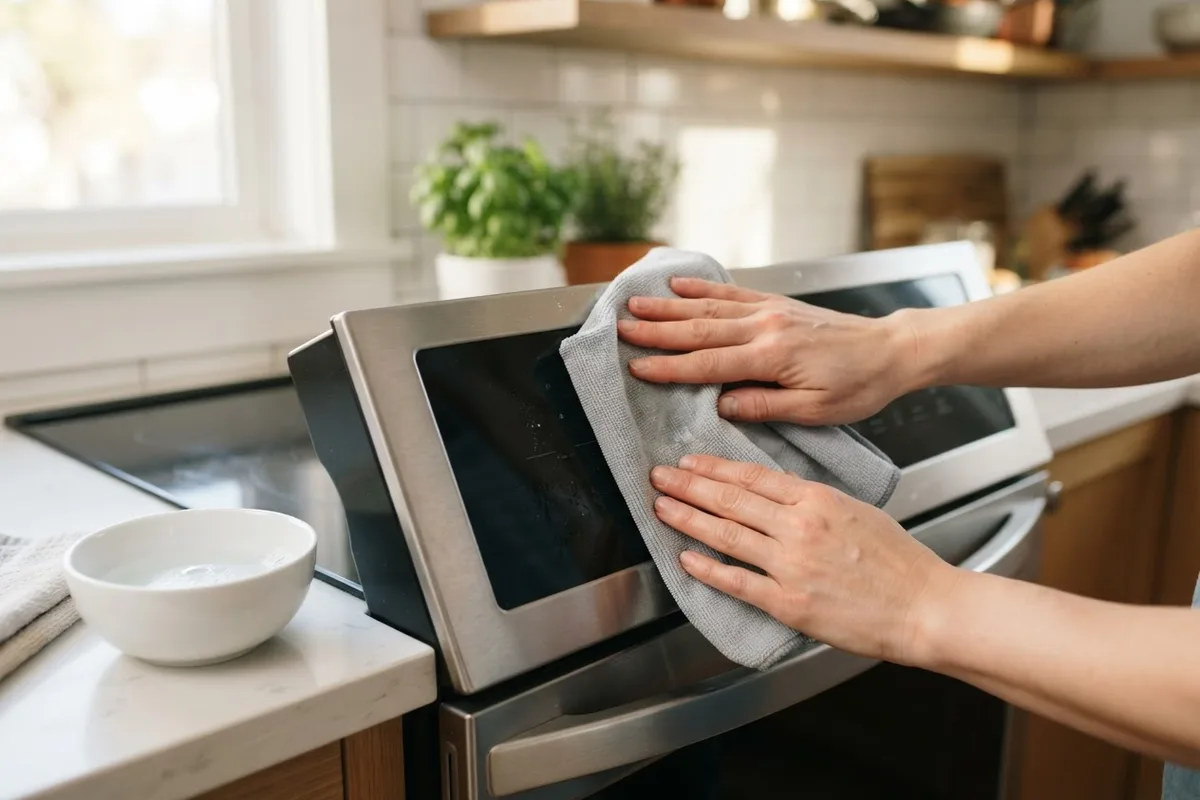
- Dampen a clean microfiber cloth with warm water and two drops of mild liquid dish soap, wringing it out until barely damp.
- Wipe gently across the entire control panel, using the same careful touch recommended when cleaning stove knobs without fading markings.
- For stubborn grease film on a smooth glass touchpad, lightly dampen a clean corner of the cloth with rubbing alcohol and wipe dry.
- Buff the surface completely dry with a fresh towel before restoring power.
Never spray liquid cleaner directly onto the control panel, as moisture can seep behind the overlay and damage the keypad.
4. Check for a Single Stuck Button
Oven keypads are wired in an electronic grid, which means one jammed key can silently disable every other button on the panel. Dried splatters, sticky sauces, or a worn plastic overlay can hold a single button slightly depressed without looking obvious.
- Switch off power to the oven at the circuit breaker before touching the keypad.
- Press every button individually from left to right, paying extra attention to
Cancel,Start, andClear, which take the heaviest daily wear. - Feel and listen for a crisp click or clean spring-back on raised membrane buttons.
- If one key feels mushy, sunken, or sticky, gently wipe around its edges with a barely damp microfiber cloth to loosen dried residue.
- Restore power and test the display.
If a button stays permanently sunken or the plastic membrane is cracked or bubbling, the touchpad assembly is worn out and needs replacement.
5. Cool Down an Overheated Control Panel
During long roasts, back-to-back holiday baking, or a high-heat self-clean cycle, hot air rises directly behind the upper console. Many ranges automatically freeze the keypad or shut down controls when internal board temperatures climb too high.
- Turn off any active stovetop burners and crack the oven door open a few inches to release trapped heat safely.
- Check the oven vent—often located beneath a rear burner or along the upper trim—and remove any foil, baking sheets, or skillets blocking airflow.
- Wait 45 to 60 minutes for the control console to cool back to room temperature, then test the buttons again.
- Listen for the cooling fan during your next bake; a silent or sluggish cooling fan lets heat build up behind the electronics.
If the keypad remains completely dead after cooling—especially right after a self-clean cycle—an internal thermal fuse may have blown to protect the board.
6. Inspect the Power Cord and Outlet
Sometimes the display goes dark and every button stops working simply because the range lost steady power. Sliding a freestanding stove forward to sweep or bumping it with a heavy pan can partially loosen the power plug.
- Shut off the oven circuit breaker first. If you have a gas range, turn the gas shutoff valve behind the appliance to the closed position before moving it.
- Slide the range forward a few inches carefully, taking care never to pull or kink a flexible gas line.
- Verify that the power cord sits snugly inside the wall outlet, and press the
RESETbutton if your gas range plugs into a GFCI outlet. - Check for scorch marks, melted plastic, or frayed insulation while reviewing your home appliance safety checklist.
If you spot burn marks on the outlet or smell gas at any point, stop immediately, leave the breaker off, and call a pro.
Quick Symptom Guide: What Your Oven Keypad Is Telling You
Use this reference table to match what your panel is doing with the most likely cause and safe first step.
| What You See on the Panel | Most Likely Cause | Safe First Step |
|---|---|---|
Clock works, padlock or LOC shows | Control Lock is active | Hold Lock or Cancel for 3–5 seconds |
| Only a few specific buttons fail | Stuck key or worn membrane switch | Clean edges and test each key with power off |
| Panel froze after heavy baking or self-clean | Overheated board or blown thermal fuse | Clear vents, cool for 60 minutes, then reset breaker |
| Entire display is blank and dead | Tripped breaker, loose plug, or failed board | Check breaker, GFCI, and power cord connection |
Error code (F1, F2, F7) blinks | Stuck key sensor or control board fault | Power-cycle at breaker; call a pro if code returns |
When to Call a Pro
Once you have ruled out Control Lock, surface grease, overheating, and power resets, the problem almost always lives inside the oven console. Common internal culprits include a loose or corroded keypad ribbon cable, a failed membrane touchpad, a blown thermal fuse, or a burned relay on the main electronic control board.
Stop DIY troubleshooting if the panel flashes a recurring error code, smells faintly like hot plastic, or stays unresponsive after a breaker reset. Opening the control console involves live 120-volt or 240-volt wiring, sharp sheet metal, and fragile connectors—and moving a gas range introduces gas-line risks—so leave internal diagnostics, electrical panel issues, and part swaps to an appliance technician.
Typical US repair costs for replacing an oven touchpad or electronic control board run roughly $200 to $550 for parts and labor combined, though final pricing varies by area and oven model. When you are ready for hands-on help, True Appliance Repair can match you with a local pro for oven and stove repair so you can get an accurate diagnosis before deciding whether to repair or replace.
FAQ
Why do only some of my oven buttons work?
When specific keys like Bake, Start, or certain numbers stop responding while other buttons still beep, the most common culprit is a worn keypad membrane or a corroded ribbon cable linking the touchpad to the control board. Cleaning grease off the panel and resetting the breaker is worth trying first, though partial keypad failure usually calls for a touchpad replacement.
Can running the self-clean cycle break oven buttons?
Yes, self-clean cycles generate intense heat that can stress older electronic components. If your oven buttons stop working right after self-cleaning, high heat may have tripped an internal thermal fuse or damaged the control board, which a technician can confirm with a multimeter.
How do I hard-reset an unresponsive oven control panel?
Make sure all oven and stovetop knobs are off, then flip the oven's circuit breaker to OFF for five full minutes before switching it back on. Unplugging a gas range from its 120-volt wall outlet for five minutes achieves the same reset without opening your electrical panel.
Is it worth replacing an oven control board?
Replacing a touchpad or control board often makes financial sense if your range is under 10 years old, heats evenly otherwise, and the repair quote stays well below half the cost of a comparable new unit. Because parts and labor vary by area and model, getting a clear written estimate first helps you compare repair against replacement.