
A gas stove clicking constantly is one of the most frustrating kitchen noises, especially when it will not stop even after you turn the burner off. Fortunately, this rhythmic ticking usually points to a few common, easily fixed issues rather than a broken appliance. In this guide, you will learn exactly why your gas stove is clicking constantly and discover six safe, easy DIY fixes to restore peace to your kitchen.
1. Dry out wet burner components
One of the most common reasons for a gas stove clicking constantly is moisture trapped around the igniter. This frequently happens after cleaning the cooktop with too much water or liquid spray, or after a pot boils over. The moisture creates a temporary short circuit, causing the igniter to continuously spark.
To fix this, you must first ensure your safety. Turn off all the burners, unplug the stove from the electrical outlet, and shut off the gas supply. Once the stove is completely cool to the touch, remove the cast iron grates, the burner caps, and the burner heads. Inspect the small, ceramic igniter electrodes for any signs of water.
Use a clean, dry towel to wipe down all of the components. You can also use a hair dryer on a low, cool setting to gently blow away any trapped moisture from the igniters and burner ports. Allow the parts to air dry for at least one to two hours before reassembling them. Once completely dry, restore the power and gas, and test the burner to see if the clicking has stopped.
2. Clean out trapped food debris
Over time, grease, crumbs, and burnt food residue can accumulate around the burner head and the igniter electrode. This buildup can bridge the gap between the igniter and the burner, causing the electrode to spark continuously. If you are also experiencing issues with getting a flame, check out our guide on why your gas stove burner is not lighting.
Before cleaning, make sure the stove is cool, unplugged, and the gas is turned off. Remove the grates, burner caps, and burner heads. Inspect the small, white ceramic igniter pin and the surrounding metal ports.
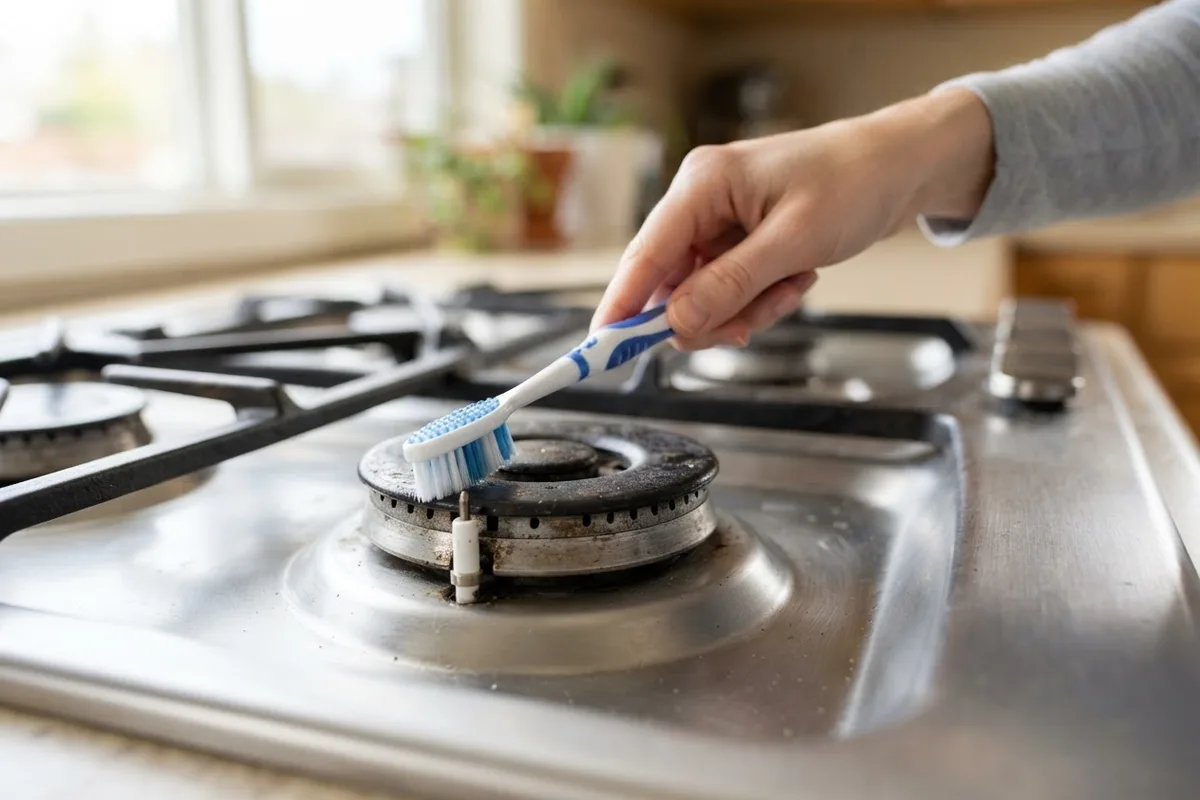
Use a dry, soft-bristled toothbrush to gently scrub away any dried food, grease, or debris around the igniter electrode and the small holes in the burner head. For tighter spots, you can carefully use a wooden toothpick or a can of compressed air to clear out the debris. Avoid using metal tools, as they can damage or scratch the fragile ceramic igniter. Wipe everything with a dry microfiber cloth, reassemble the burner pieces, and test the stove.
3. Realign the burner cap and head
If the burner cap or burner head is slightly off-center or tilted, it can disrupt the flow of gas and the electrical connection, resulting in a gas stove clicking constantly. This often happens after the stove has been cleaned and the parts were put back in a hurry. A healthy gas flame should be crisp and blue; if your flame looks different or uneven due to misalignment, read why your gas stove flame is yellow.
First, ensure the stove is completely cool, turned off, and disconnected from both power and gas. Remove the cooktop grate and look closely at the burner that is clicking. Carefully lift off the burner cap (the dark, flat disc on top) and the burner head (the metal piece below it).
Inspect both pieces for any signs of warping, damage, or rust. If they look good, place the burner head back onto the stove, ensuring it fits snugly and flush against the cooktop surface. Then, place the burner cap directly on top of the head. Gently wiggle it to make sure it is completely flat, centered, and locked into its designated groove. If the cap is tilted even slightly, it will cause clicking. Once properly aligned, reconnect the stove and test the burner.
4. Check for a loose or wet igniter wire
Underneath your stove's cooktop, a network of wires connects each burner's igniter to the main spark module. If one of these wires becomes loose, frayed, or exposed to moisture, it can cause an intermittent short circuit, resulting in a continuous clicking sound.
To check this, first unplug the stove and turn off the gas supply. Depending on your stove model, you may need to lift the cooktop or remove the front control panel to access the wiring. If your cooktop can be lifted, carefully prop it up and inspect the wires leading to the clicking burner's igniter. Look for any wires that are disconnected, loose, wet, or showing signs of wear and exposed copper.
If you find moisture, use a dry cloth or a hair dryer on a cool setting to dry the area completely. If a wire is simply disconnected from the igniter terminal, you can gently push it back into place. However, if you see exposed, frayed, or burnt wires, or if the wiring involves working directly with the electrical panel, do not attempt to fix it yourself. Stop immediately, reassemble the stove, and call a professional to handle the electrical repair.
5. Inspect the igniter switch for damage
Behind each burner knob on your stove is an igniter switch (also known as a burner switch). When you turn the knob to the "Lite" position, this switch closes and sends a signal to the spark module to start clicking. If you have recently cleaned your stove with liquid sprays, or if a pot boiled over, water may have seeped behind the knobs and into the switches. This can short out the switch, making it think you are constantly trying to light the stove.
To address this, first unplug the stove and shut off the gas. Gently pull the stove knobs straight off their shafts. Inspect the area around the exposed shafts for any signs of wetness, sticky residue, or cleaning liquid.
Use a dry cloth to wipe away any visible moisture. If you suspect liquid is trapped inside the switch assembly, you can use a hair dryer on a low, cool setting to blow air into the gaps around the knob shafts for 10 to 15 minutes. Alternatively, you can spray a small amount of electronic contact cleaner into the switch to help disperse the moisture and clean the contacts. Allow it to dry completely for an hour before putting the knobs back on, reconnecting the power, and testing the stove.
6. Examine the control board for faults
If you have tried drying the components, cleaning debris, realigning the caps, and checking the switches, but your gas stove is clicking constantly, the issue may lie deeper within the appliance. The spark module is the electronic component that generates the spark for all the burners. If this module or the main control board becomes faulty due to a power surge or age, it can malfunction and send continuous electrical pulses to the igniters.
Testing and replacing a spark module or control board requires advanced diagnostic tools, such as a multimeter, and involves working with the internal electrical system of the stove. First, ensure the stove is unplugged and the gas is off. You can visually inspect the spark module (usually located at the back or bottom of the stove) for any obvious signs of damage, such as burn marks, melted plastic, or loose connections.
If you see visible damage to the control board or spark module, or if you cannot find any other cause for the constant clicking, it is time to step back. Because this repair involves complex electrical diagnostics and gas appliance safety, you should leave it to a professional.
Quick-Reference Guide for a Clicking Gas Stove
| Common Cause | What It Looks Like | How to Fix It |
|---|---|---|
| Wet Igniter | Continuous clicking after cleaning or a spill. | Dry components with a towel and use a hair dryer on a low setting. |
| Food Debris | Clicking often accompanied by a weak or uneven flame. | Gently clean around the igniter electrode with a dry toothbrush or toothpick. |
| Misaligned Cap | The burner cap is visibly tilted or off-center. | Let the stove cool, then realign the burner head and cap until flush. |
| Moisture in Knobs | Clicking starts when turning a knob and will not stop. | Pull off the knobs and use a hair dryer on low to dry behind the shafts. |
| Loose Igniter Wire | Clicking accompanied by weak or no spark at the burner. | Inspect wires under the cooktop for loose or wet connections. |
| Faulty Spark Module | Constant clicking even when all burners are turned off. | Requires a professional to test with a multimeter and replace the module. |
When to Call a Pro
While many causes of a gas stove clicking constantly can be resolved with simple DIY cleaning and drying, some situations require expert attention. You should always stop and call a professional if you smell gas, suspect a leak, or hear hissing when the stove is turned off. Additionally, if the clicking persists after you have thoroughly dried and cleaned all components, or if you suspect a faulty spark module, internal wiring issue, or damaged control board, it is time to get help.
Working with gas lines, sealed systems, and internal electrical components requires specialized tools and expertise to ensure your home remains safe. True Appliance Repair can match you with a local appliance pro who can quickly diagnose the problem and safely perform any necessary repairs, including replacing spark modules or fixing internal wiring. Visit our oven and stove repair service page to connect with a local expert today.
FAQ
Is it dangerous if my gas stove keeps clicking?
A gas stove clicking constantly is usually not immediately dangerous, provided you do not smell gas. The clicking is simply an electrical spark trying to light a burner. However, you should not ignore it. Continuous clicking can eventually wear out the spark module or the igniter itself, leading to a more costly repair. If you smell gas at any point, immediately turn off the gas supply, leave your home, and call for emergency assistance.
How do I temporarily stop my gas stove from clicking?
If your gas stove is clicking constantly and you need to stop the noise immediately, the safest way is to unplug the stove from the wall outlet or turn off the corresponding circuit breaker in your home's electrical panel. Since the clicking is an electrical function, cutting the power will stop the noise. Be sure to also turn the burner knobs to the "Off" position and shut off the gas valve behind the stove if you plan to leave it unattended for a while.
Can I still use my gas stove if it is clicking?
It is highly recommended that you do not use your gas stove while it is clicking constantly. The continuous sparking can wear out the stove's electrical components, such as the spark module. Furthermore, if there is a gas leak or if a burner knob is slightly on, the constant spark could ignite a fire. It is much safer to unplug the stove, resolve the clicking issue using the steps above, and only use the appliance once it is functioning normally.
How long does it take for a wet stove igniter to dry?
If your stove igniter is wet from cleaning or a boil-over, it can take anywhere from a few hours to a full 24 to 48 hours to air dry completely on its own, depending on the humidity levels in your home. You can significantly speed up this process by using a hair dryer on a low, cool setting directed at the igniter and burner ports for about 10 to 15 minutes. Always ensure the stove is unplugged before attempting to dry it with a hair dryer.