
Pressing Start on a loaded dishwasher only to get zero response is frustrating, especially right before a busy weekend or holiday meal. When your dishwasher buttons stop working, the problem is often a simple setting, a loose latch, or trapped steam rather than a failed circuit board. Follow these six safe checks to wake up your control panel and get your kitchen routine moving again.
1. Turn Off the Control Lock Mode
Before grabbing any tools, check whether someone accidentally bumped the child or control lock. Many dishwashers ignore every button press except the unlock command when this feature is active, making the whole panel seem dead.
- Look for an indicator light: Check the display for a small padlock icon, a glowing "Lock" LED, or a light that blinks three times whenever you press a key.
- Hold the lock button: Press and hold the button labeled Control Lock, Lock, or Heated Dry for 3 to 5 full seconds until the light turns off or chimes.
- Check dual-button locks: On some models, you unlock the keypad by holding two specific keys together—often Delay and Start, or Wash Temp and Options.
- Test the Start key: Once the padlock light clears, select a normal wash cycle and tap Start to see if the panel responds.
2. Power Cycle the Dishwasher at the Breaker
Electronic control boards occasionally freeze after a minor power flicker or interrupted cycle. A full power reset clears temporary glitches and restores normal button response.
- Locate the power source: Most built-in dishwashers are hardwired to a dedicated circuit breaker, though some plug into an outlet inside the sink cabinet.
- Shut off power completely: Flip the dishwasher breaker to the Off position in your electrical panel, or unplug the power cord if the under-sink outlet is easy to reach and completely dry.
- Wait five full minutes: Give the internal capacitors enough time to drain all residual electrical charge.
- Restore power and check the GFCI: Flip the breaker back on. If the display stays completely dark, check any GFCI outlet under the sink and press its Reset button.
If a breaker or GFCI outlet trips right back off, stop immediately—never force a tripping breaker, and call a pro to inspect the electrical panel or wiring.
3. Check and Reset the Door Latch Assembly
Modern dishwashers use a door latch microswitch as a safety interlock. If the switch does not register that the door is firmly shut, the Start button—and sometimes the entire keypad—will refuse to engage.
- Turn off power first: Flip the dishwasher breaker off before inspecting or touching the latch mechanism.
- Check rack clearance: Slide the upper and lower racks all the way back to make sure a tall cutting board, ladle, or baking sheet isn't pushing the door slightly ajar.
- Inspect the strike and latch: Look along the top edge of the tub for food debris, bent metal, or a loose strike plate preventing a tight seal.
- Close firmly until it clicks: Restore power at the breaker, push the door shut with steady pressure until you hear a crisp click, and test the buttons again.
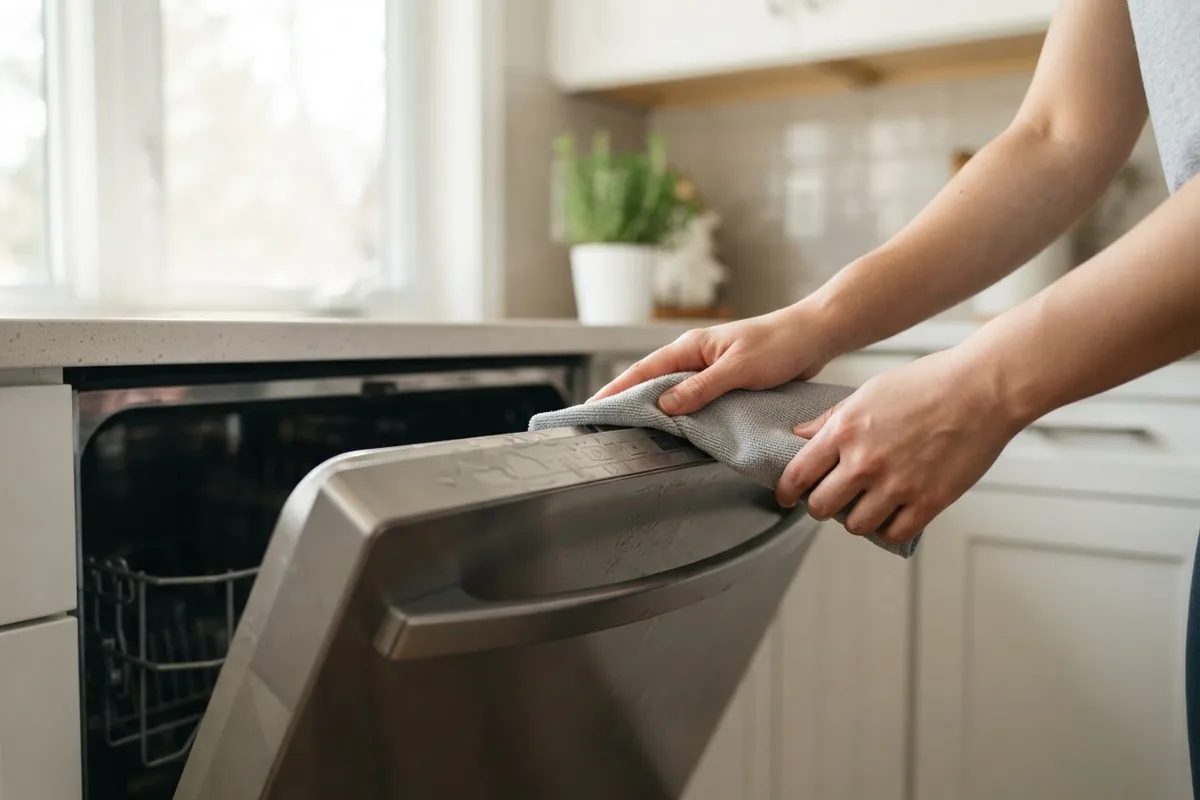
4. Dry Out Moisture Behind the Touchpad
Steam from hot wash cycles or wet hands can slip behind a membrane keypad and short out button contacts temporarily. Moisture inside the console often causes unresponsive keys, random flashing lights, or phantom button presses—a common cousin to the alerts covered in our guide on why a dishwasher beeps.
- Cut power at the breaker: Never apply air or wipe near internal electronics while the unit is powered.
- Blot the console dry: Use a clean microfiber towel to wipe along the top lip and seams around the buttons.
- Use gentle airflow: Hold a hair dryer on its lowest, coolest setting about 6 to 8 inches from the keypad for 2 to 3 minutes. Avoid high heat, which can warp plastic overlays.
- Let it air out: Leave the door slightly propped open for 30 minutes before restoring power and testing the controls.
5. Reseat the Touchpad Ribbon Cable
Repeatedly opening and closing the dishwasher door can loosen the flat ribbon cable that links the keypad to the main control board inside the door panel. Reseating that connector is a straightforward check if you are comfortable with a screwdriver.
- Shut off power and water: Turn off the breaker and verify zero lights appear on the display. If you need to slide the unit forward, shut off the under-sink water supply valve first, though most consoles open from the inside door face.
- Remove the inner door screws: Open the door and use a Torx or Phillips screwdriver to remove the perimeter screws holding the upper inner liner.
- Locate the ribbon cable: Gently separate the outer control console just enough to see the flat ribbon running from the touchpad to the board.
- Reseat without creasing: Release the small plastic locking tab if present, pull the ribbon straight out, inspect for green corrosion, and push it firmly back in. Reassemble before restoring power.
6. Test for a Failed Touchpad vs. Control Board
If none of the steps above bring the keypad back, narrow down which half of the electronics failed. When only one or two keys—most often Start or Cancel—stop working while neighboring buttons still light up, the thin membrane inside the touchpad assembly has likely worn out. When every LED stays dark despite confirmed power at the wall, or random lights blink on their own without responding to touches, the main control board or an internal thermal fuse is usually the culprit.
Use this quick-reference chart to match your symptom to the right next step and typical US repair pricing (costs vary by area and model):
| Symptom | Likely Cause | Safe DIY Check | Typical US Pro Cost |
|---|---|---|---|
| Padlock icon on, keys ignored | Control lock active | Hold lock key 3–5 seconds | $0 (DIY) |
| Panel completely dark | Tripped breaker, GFCI, or thermal fuse | Reset breaker or GFCI once | $120–$250 (varies by area/model) |
| Only Start or 1–2 keys dead | Worn touchpad membrane or loose ribbon | Dry moisture, reseat ribbon | $180–$350 (varies by area/model) |
| Buttons work only when pushing door | Misaligned door latch or rack | Clear strike, seat racks | $130–$240 (varies by area/model) |
| Random blinking, frozen panel | Failing main control board | 5-minute breaker reset | $250–$480 (varies by area/model) |
When to Call a Pro
DIY troubleshooting should stop the moment you run into persistent electrical issues. Call an appliance technician right away if the breaker trips immediately after resetting, if you notice a burnt smell near the door console, or if you spot dark scorch marks on the control board or ribbon cable. Never open your home's main electrical panel to replace breakers or probe live high-voltage wiring on your own.
Replacing a failed touchpad assembly or main control board through an appliance technician typically costs between $180 and $480 in the US, including parts and labor, though exact pricing varies by area and model. If your dishwasher is under seven years old, swapping a faulty keypad is usually worthwhile; if it is closer to ten years old and needs an expensive main board, putting that money toward a replacement makes more sense.
When you are ready for hands-on help, True Appliance Repair can match you with a local appliance pro to test the control board, thermal fuse, and latch switch safely, or you can reach out through our contact page to get started.
FAQ
Why do all my dishwasher lights turn on, but the Start button won't work?
When every indicator lights up except Start, the most common causes are an active control lock, a door that isn't latching tightly enough to trigger the microswitch, or a worn Start button pad. Push the racks all the way back, toggle the control lock off for five seconds, and close the door firmly until it clicks before testing again.
How do I hard reset my dishwasher when the buttons are frozen?
Turn off the dishwasher's dedicated circuit breaker in your electrical panel—or unplug the unit from a dry under-sink outlet—and leave it unpowered for five full minutes. Flip the power back on and wait 30 seconds before pressing any buttons so the control board can finish booting up.
Can steam from my dishwasher ruin the control panel?
Yes, steam escaping past a worn upper door seal or rising when you crack the door mid-cycle can condense behind the keypad membrane. Over time, trapped moisture causes keys to stick, misfire, or go dead, so wiping away condensation and avoiding draping damp dish towels over top-control handles helps protect the electronics.
Is it worth replacing a dishwasher touchpad or control board?
For most dishwashers under six or seven years old, replacing a touchpad or control board—typically $180 to $480 depending on your area and model—is a practical repair. Once a machine passes the eight-to-ten-year mark, comparing that repair estimate against the cost of a new unit is usually the smartest move.