
A persistent chime from the kitchen can quickly turn a quiet evening into a headache. When your dishwasher keeps beeping mid-cycle, at idle, or right after you press start, it is usually flagging a minor latch misalignment, an active control setting, or a sensor alert you can clear yourself. Before you assume the worst, walk through these six safe fixes to silence the noise and get your kitchen back to normal.
1. Reset the Door Latch and Strike Plate
A dishwasher relies on a tight door seal to run safely, so even a slight bump against the handle can break contact and trigger an error chime mid-cycle. If a protruding cutting board or skillet handle is pushing against the door from inside, the control board will beep repeatedly until the latch clicks shut.
Before checking the latch assembly, turn off the dishwasher's dedicated circuit breaker or unplug the unit from its outlet under the sink.
- Open the door and make sure no tall plates or pan handles block the inner door panel.
- Inspect the metal strike plate at the top of the tub and the plastic latch receiver on the door.
- Tighten any loose mounting screws on the strike plate with a Phillips screwdriver.
- Restore power, close the door firmly until you hear a crisp click, and press Start.
2. Check the End-of-Cycle Reminder Setting
Not every beep signals a malfunction. Many modern dishwashers include an audible end-of-cycle chime or door-ajar reminder that beeps every few minutes until someone opens the door or presses Cancel. On busy weeknights, it is easy to mistake a normal status chime for a breakdown.
Check the control panel icons for a bell, speaker, or musical note symbol, which indicates sound alerts are turned on.
- Look for a button labeled "Sound," "Chime," or a secondary label printed beneath buttons like "Heated Dry" or "Delay."
- Press and hold that button for three to five seconds until the chime icon disappears from the display.
- Press Start or listen for a confirmation tone showing that alerts are muted.
- Keep your model's user guide saved on your phone so you can toggle chimes back on if you ever want them.
3. Power-Cycle the Control Board
Brief power flickers, summer brownouts, or static buildup on touch capacitive panels can confuse a dishwasher's main control board. When the logic board freezes, it often emits random single beeps or a steady rhythmic tone even while the machine sits empty. A hard power reset clears temporary memory errors without affecting your plumbing.
If you notice the breaker itself keeps snapping off during cycles, review our guide on a dishwasher tripping the breaker before restoring power.
- Locate your home's electrical panel and flip the dishwasher breaker to the Off position, or unplug the power cord under the sink.
- Wait a full five minutes so the internal capacitors discharge completely.
- Flip the breaker back On or plug the cord firmly back into the outlet.
- Press Cancel or Reset to clear any lingering cycle memory, then test a normal wash.
4. Turn Off Child Lock or Delay Start
Accidentally brushing against the control panel while wiping down your countertop can engage Control Lock or Delay Start. When Control Lock is active, pressing any other button makes the dishwasher beep to tell you the touchpad is locked, while Delay Start can cause periodic reminder beeps as it counts down.
- Inspect the display for a padlock icon, "LOC," or a countdown number such as "2H" or "4H."
- Find the "Control Lock" or "Child Lock" label—often shared with the Heated Dry or Sanitize button.
- Press and hold that button for three to five seconds until the padlock icon turns off.
- If Delay Start is active, press the Delay button repeatedly until the timer reaches zero, or press Cancel once to reset the cycle.
5. Free a Stuck Float Switch
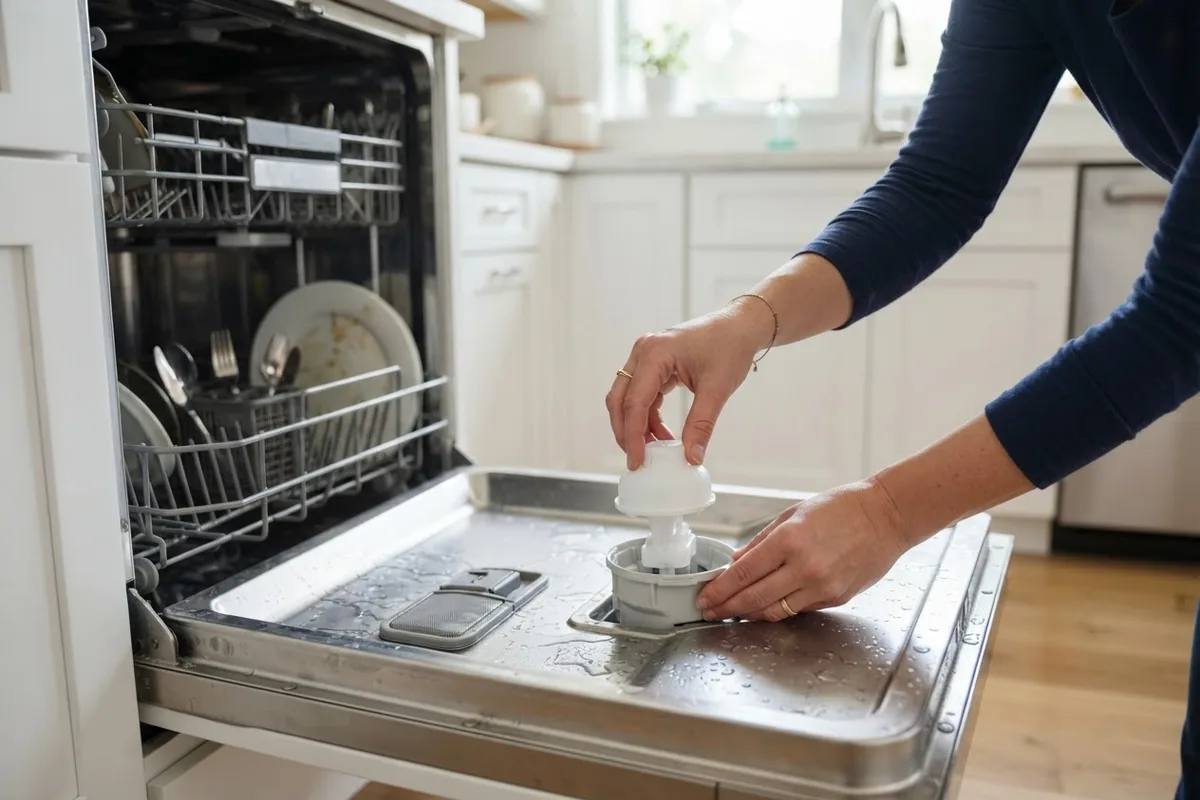
Near the front corner of the dishwasher tub sits a small dome-shaped float switch designed to prevent overfilling. If a fallen utensil lid jams the float in the up position, or if hidden moisture collects in the lower safety pan beneath the tub, the flood sensor triggers urgent, rapid beeping and may stop the cycle.
Always switch off the circuit breaker and shut off the hot water supply valve under the sink before reaching inside or checking beneath the unit. To keep moisture problems from returning, run through our checklist on how to prevent appliance leaks.
- Pull out the lower rack to expose the round or cylindrical float dome near the front floor of the tub.
- Gently lift and lower the dome a few times; it should move smoothly with a faint click from the microswitch underneath.
- Remove any stray plastic cap, foil wrapper, or utensil blocking its movement.
- Shine a flashlight beneath the lower kickplate to check for pooled water in the drip tray, and blot it dry with towels before restoring power.
6. Inspect the Water Supply Valve
A dishwasher that beeps two to three minutes after starting often cannot sense enough incoming water. If someone recently shut the under-sink water valve partway off during another project, or if a flexible supply line got kinked behind a trash can, the flow meter flags an inlet error with repeated chimes.
Turn off the dishwasher at the breaker before sliding hoses or inspecting electrical inlet connections.
- Open the cabinet under your kitchen sink and trace the braided supply line leading to the dishwasher.
- Turn the hot water shutoff valve counterclockwise all the way until it stops, then back it off a quarter turn.
- Check the supply hose for sharp kinks, pinches, or heavy storage bins pressing against it.
- Restore breaker power and start a cycle; you should hear steady water entering the tub within the first minute.
Quick-Reference Beeping Pattern Guide
Use this quick chart to match the timing of the beep to the most likely cause before opening up any panels.
| Beeping Pattern | Likely Cause | Best First Step |
|---|---|---|
| Beeps only when buttons are pressed | Child Lock or Control Lock active | Hold the Lock button for 3–5 seconds |
| Beeps every few minutes after cycle ends | End-of-cycle chime reminder | Mute the Sound/Chime button setting |
| Beeps 1–2 minutes after pressing Start | Door unlatched or water valve closed | Firmly latch door and open sink valve |
| Rapid continuous beeping mid-cycle | Stuck float switch or base pan moisture | Cut power, free float, and dry base tray |
| Random beeps while dishwasher is off | Control board glitch or moisture on touchpad | Flip breaker off for 5 minutes to reset |
When to Call a Pro
If your dishwasher still beeps after a five-minute breaker reset, or if the touchpad flashes an error code that returns immediately, stop troubleshooting and bring in a technician. You should never open the electrical junction box, work on hardwired power lines, test live heating circuits, or adjust the main house electrical panel yourself.
Common professional repairs include replacing a faulty door latch switch, main control board, water inlet valve, or touchpad ribbon—typically ranging from $150 to $375 for parts and labor, though exact costs vary by area and model. If your unit is over 10 years old and needs a control board, compare repair costs against a replacement before booking. When you are ready for hands-on help, True Appliance Repair can match you with a local dishwasher repair pro to diagnose the fault safely.
FAQ
Why does my dishwasher beep randomly when it is not running?
Random beeps while idle usually come from a minor control board glitch after a power flicker, steam humidity inside the touchpad, or an active end-of-cycle reminder. Turning off the breaker for five minutes clears most logic glitches. If it keeps beeping while off, a worn touchpad membrane may need replacement.
How do I make my dishwasher stop beeping right now?
Press and hold the Cancel or Start/Reset button for three to five seconds to abort the active cycle, then leave the door open for a minute. If the touchpad does not respond at all, flip the dedicated dishwasher circuit breaker to Off for five minutes. That silences the alarm safely until you can inspect the cause.
Can a dishwasher beeping sound mean a water leak?
Yes. Many dishwashers have a lower safety pan equipped with a flood sensor that triggers continuous beeping if even a small amount of water collects underneath the tub. Shut off the breaker and water valve under the sink before inspecting the base for moisture.
Why does my dishwasher beep three times and not start?
Three beeps right after pressing Start usually point to an unlatched door, an engaged Delay Start timer, or a water supply issue. Check that no tall dishes are pressing the inner door outward, confirm the Control Lock icon is off, and make sure the hot water valve under your sink is open.