
Hearing your oven fan hum long after dinner is on the table is frustrating, especially after hours of holiday roasting or weekend baking. While a brief cooldown cycle is normal, an oven fan staying on for hours—or running when the cavity is stone cold—usually points to trapped heat, a control glitch, or a stuck thermal switch. Follow these six safe checks to pinpoint the cause and get your kitchen quiet again.
1. Wait Out the Normal Cooldown Cycle
Modern built-in wall ovens and freestanding ranges use a hidden cooling fan—separate from the interior convection fan—to protect electronic control boards and surrounding cabinets from high heat. After a long roast, broiling session, or self-clean cycle, this blower can legitimately run for 30 to 60 minutes after you press Off.
- Note the exact time you turned the oven off and check whether warm air is still venting from the upper door slot.
- Crack the oven door open two inches for five minutes only if the kitchen is clear of kids and pets, helping trapped heat dissipate faster.
- Wait a full 60 minutes from the end of a high-heat bake, or up to 90 minutes after a self-clean cycle.
- Listen closely once the interior feels cool to the touch; if the fan keeps blowing cool air past that window, move to the next check.
2. Confirm Which Fan Is Running and Check Settings
Before assuming a part has failed, verify whether you are hearing the exterior cooling blower or the interior convection fan—and confirm the oven is not accidentally running a timed mode.
- Open the oven door slightly and look at the rear interior wall; if the visible fan blade behind the center grille is spinning, your convection fan is active.
- Check the control panel for an active Warm, Proof, Delay Start, or Convection indicator, as some models keep a fan running on low during warming modes.
- Press Cancel or Off firmly, or rotate mechanical selector dials past the detent click into the full Off position.
- Hold a hand near the open door cavity to confirm no heating element is glowing; if the oven is still actively heating while set to Off, shut off the breaker immediately.
If the keypad feels unresponsive or double-registers presses, check our guide to troubleshoot oven buttons not working before moving on.
3. Clear Blocked Oven Vents and Trapped Heat
An oven cooling fan stays on as long as the thermostat mounted near the control area senses heat above its shutoff threshold. Restricted airflow traps hot air inside the chassis and forces the blower to run nonstop.
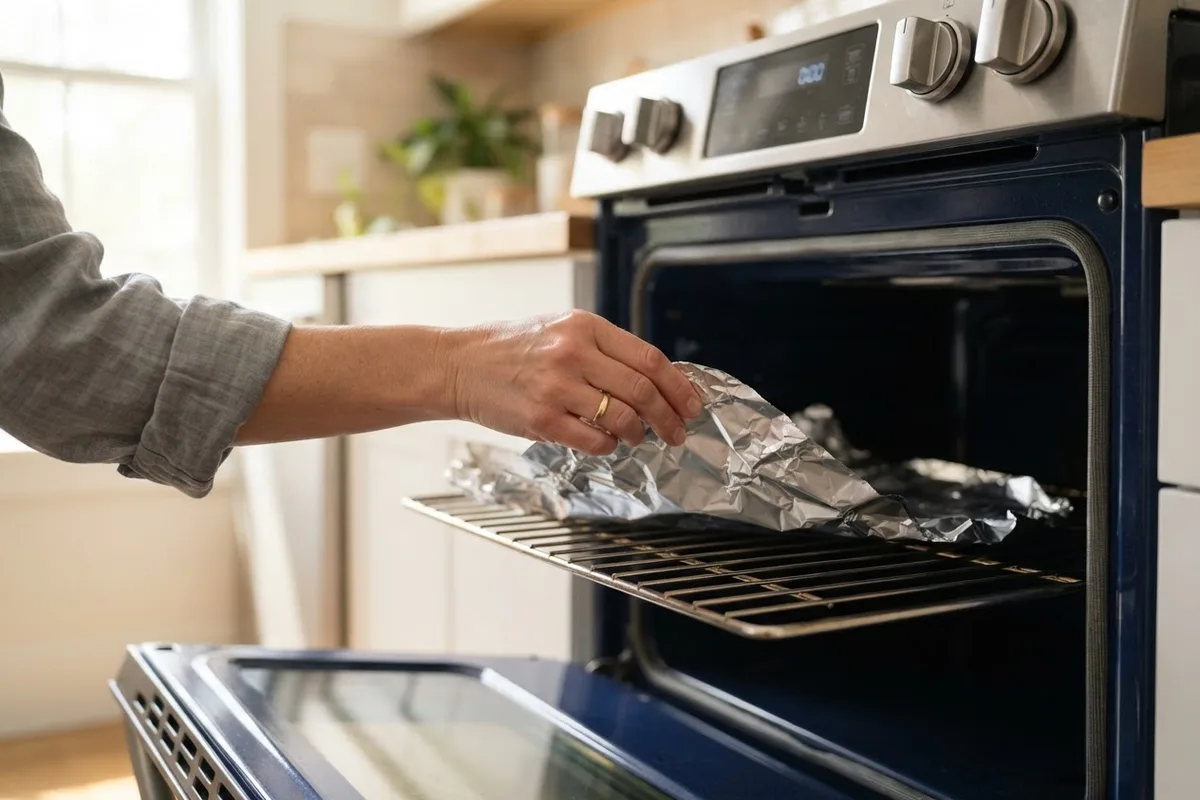
- Wait until the oven is completely cool, then remove any aluminum foil liners, pizza stones, or oversized baking sheets left sitting on the oven floor or blocking the rear vent opening.
- Inspect the vent channel along the top edge of the oven door or beneath the backguard of a freestanding range for grease buildup, crumbs, or dish towels draped over the handle.
- Wipe exterior vent slots with a slightly damp microfiber cloth—never spray cleaner directly into the openings where moisture can reach wiring.
- Check built-in wall oven clearances; tightly packed warming drawers or crowded cabinets beneath the unit can slow heat dissipation after back-to-back baking sessions.
4. Reset the Control Board at the Breaker
Power surges, brownouts, or a brief voltage dip during heavy kitchen use can freeze an electronic oven control board with the fan circuit latched on. A full power cycle often clears a control glitch in minutes.
- Turn all oven and cooktop controls to Off and let the cavity cool completely.
- Walk to your home's main electrical panel and flip the dedicated oven or range circuit breaker to the Off position (for plug-in gas ranges with a standard 120-volt cord, you can unplug the cord once safely accessed).
- Leave power disconnected for a full 5 minutes so the control board capacitors drain completely.
- Restore power at the breaker, reset the clock if prompted, and listen for the fan.
If the fan stays silent on power-up, run a 10-minute test bake at 350°F, turn the oven off, and verify the blower shuts down normally once cool. If the fan starts roaring the instant power returns to a cold oven, suspect a stuck switch or relay.
5. Check for a Stuck Cooling Fan Thermal Switch
Many ovens rely on a small bi-metal thermal switch (also called a cooling fan thermostat) mounted on the outer oven chassis. It automatically closes to power the fan around 140°F to 170°F and snaps open again once the metal cools. Over years of heat cycles, the internal contacts can weld shut, leaving the fan running around the clock.
- Switch off the oven circuit breaker at the panel before touching any trim or panels—never open an oven housing while energized.
- If you have a freestanding gas range and need to pull it forward, shut off the gas supply valve behind the unit first and move it carefully without straining the flexible line.
- Check your owner's manual to confirm whether the cooling thermal switch sits behind the upper rear access panel or requires pulling a built-in wall oven from its cabinet.
- Look for obvious heat discoloration, scorched wire insulation, or a loose connector on the switch; stop and book a technician if the switch is tucked behind heavy cabinetry or needs electrical continuity testing.
6. Spot Control Board Relay or Sensor Failures
On newer electronic ranges and wall ovens, the main control board decides when to run the cooling fan based on readings from the oven temperature sensor probe. Two failures here commonly cause an endless fan cycle: a welded fan relay on the board or a faulty temperature sensor falsely reporting high heat.
- With power still off at the breaker and the oven cool, inspect the slender metal temperature sensor rod mounted in the upper rear corner of the oven cavity.
- Make sure the probe is not bent against the metal wall, coated in baked-on spillovers, or visibly damaged, as bad readings can confuse the board's cooldown logic.
- Watch the display after restoring power for any flashing F-codes or E-codes, which point straight to a sensor or board fault.
- Listen for a distinct relay click when starting and canceling a bake cycle; silence paired with a nonstop fan on a stone-cold oven usually indicates a stuck control board relay.
Quick Reference: Why Your Oven Fan Won't Stop
| What You Notice | Most Likely Cause | Recommended Next Step |
|---|---|---|
| Warm air blows 30–60 min after baking | Normal cooldown cycle | Wait up to 60–90 min; no repair needed |
| Fan runs long after light baking, vents covered | Trapped heat around thermostat | Clear foil, pans, and vent slots |
| Fan stops after a 5-min breaker reset | Frozen control board logic | Run a short test bake to confirm |
| Fan starts immediately on a cold oven after reset | Stuck thermal switch or board relay | Shut off breaker; schedule a pro check |
| Oven stays hot while set to Off | Stuck heating relay or thermostat | Shut off breaker immediately; call a pro |
When to Call a Pro
Stop DIY troubleshooting and call an appliance technician if the fan kicks on the moment you flip the breaker back on with a cold oven, if you smell burning insulation, or if the oven continues generating heat while turned off. Testing live voltage, uninstalling built-in wall ovens, working near gas lines, or opening your home's electrical panel should always stay with an experienced professional.
As a broad typical US range, replacing a cooling fan thermostat or oven temperature sensor often runs roughly $150 to $300, while an electronic control board replacement can fall around $250 to $500—actual pricing varies by area and model. If a quick reset and vent check do not solve the issue, True Appliance Repair can match you with a local pro for oven and stove repair, or you can visit our contact page to get connected quickly.
FAQ
Is it safe to leave an oven cooling fan running overnight?
If the oven is completely cool and only the cooling fan is blowing room-temperature air, it is rarely an immediate hazard, though nonstop running wears out the fan motor faster and wastes electricity. Switching off the oven's dedicated breaker overnight is the safest move until you can have the thermal switch or control relay checked.
How long should an oven cooling fan run after baking?
Most modern ranges and wall ovens run their cooling fan for 20 to 60 minutes after a standard bake cycle. After broiling, roasting for several hours, or completing a high-heat self-clean cycle, the blower may need up to 90 minutes to bring the control housing down to a safe temperature.
Can a dirty oven cause the cooling fan to stay on longer?
Heavy grease buildup on the exterior vent slots, aluminum foil lining the oven floor, or pans stored in a tight cavity can trap heat and extend the cooldown cycle noticeably. Keeping vents unobstructed and removing foil liners helps heat escape faster so the fan shuts off on schedule.
Why does my oven fan turn on even when I am only using the stovetop?
On many freestanding and slide-in ranges, high heat from multiple stovetop burners warms the control panel and the nearby thermal switch. The cooling fan automatically kicks on to protect the electronic display and should turn back off shortly after you finish cooking on the burners.