
When your dishwasher child lock refuses to turn off, loading up after a big family meal suddenly grinds to a halt. Fortunately, a stuck control lock rarely means your appliance is broken—most lockouts come down to a missed button timer, an unfamiliar dual-key combo, or a temporary control board glitch. Walk through these six safe DIY fixes in order to unlock your panel and get your dishes running again.
1. Hold the Control Lock Button Longer
Most modern dishwashers ignore a quick tap on the lock button on purpose so kids or brushing hips do not toggle it by accident. You usually have to hold the exact key for a full three to five seconds until the lock icon fades or chimes.
- Look closely at the control panel for a padlock icon, "Control Lock," "Child Lock," or "Lock" printed above or below a button.
- Press the center of that button firmly with one dry finger—do not use a fingernail or sharp object.
- Count slowly to five ("one Mississippi, two Mississippi...") and watch for a light flash or listen for a double beep.
- Close the door fully if your model has top-mounted controls, since some panels only register the unlock command once the door is latched.
If nothing changes after two tries, wait ten seconds and move to the brand-specific combinations below.
2. Try Dual-Button Brand Unlock Combos
Many dishwashers hide the child lock behind two buttons pressed at the same time rather than one dedicated lock key. Even within the same brand, the exact pair varies by model year, so check the small bracket or line connecting two button labels on your console.
| Brand | Common Child Lock Button Combo | Hold Time |
|---|---|---|
| Whirlpool / KitchenAid | Control Lock or Heated Dry + Start | 3–4 seconds |
| Bosch | Start or Cancel/Reset (4-sec hold) | 3–5 seconds |
| Samsung | Control Lock or Sanitize + Hi-Temp | 3 seconds |
| LG | Half Load + Energy Saver (or Dual Zone) | 3 seconds |
| GE | Heated Dry + Wash Temp (or Lock Controls) | 3–5 seconds |
| Frigidaire | Air Dry + Start/Cancel (or Lock key) | 3–4 seconds |
- Locate any thin bracket line linking two buttons beneath a padlock symbol on your panel.
- Press and hold both buttons simultaneously for a steady four seconds.
- Check your user manual by model number (printed on the inner door frame sticker) if your console lacks a bracket label.
3. Power-Cycle the Dishwasher at the Breaker
Electronic control boards occasionally freeze in a locked state after a brief power flicker or storm. Performing a hard reset clears temporary memory errors without affecting your settings permanently.
- Turn off the dishwasher by tapping the Cancel or Power button if it still responds.
- Walk to your home's electrical panel, find the breaker labeled "Dishwasher," and flip the switch firmly to the OFF position. (If your dishwasher plugs into a wall outlet under the sink instead, unplug the cord safely with dry hands.)
- Leave the power off for a full five minutes so internal capacitors discharge completely.
- Flip the breaker back to ON—or plug the cord back in—and wait 30 seconds for the display to boot up.
- Test the unlock button or dual-button combo one more time.
Never open the main electrical panel cover or touch exposed house wiring; only flip the labeled breaker toggle.
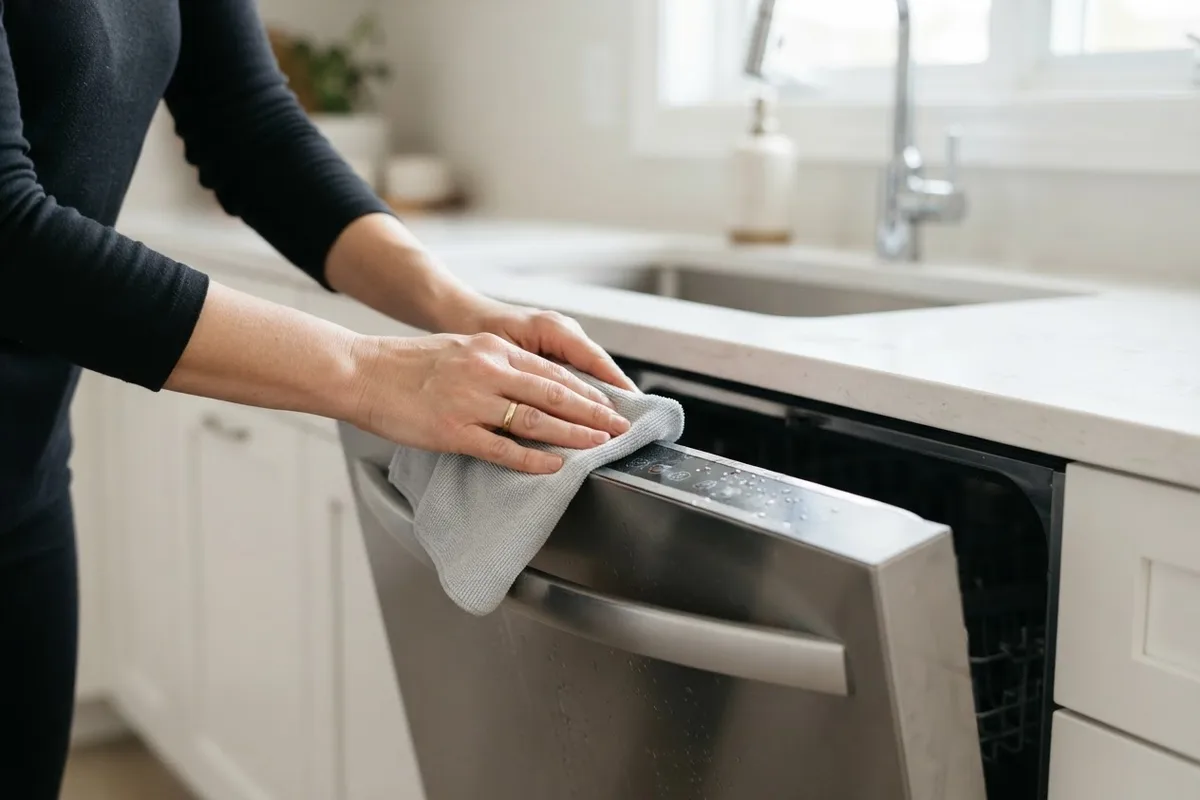
4. Dry Hidden Moisture Under the Touchpad
Steam from recent hot wash cycles or wet hands during holiday kitchen prep can seep along the top edge of a dishwasher door. Even a tiny film of condensation under a capacitive touch panel can trick the sensors into reading a constant finger press, locking out the controls.
- Flip the dishwasher circuit breaker to OFF before wiping near seams or vents.
- Wipe the entire control console and the seam where the panel meets the inner door with a clean, dry microfiber cloth.
- Aim a hair dryer on its lowest, cool-air setting along the edges of the touchpad from six inches away for two minutes—never use high heat, which can warp plastic overlays.
- Wait 20 minutes with the door propped slightly open so trapped humidity evaporates.
- Restore power at the breaker and test your unlock sequence.
If your panel has other unresponsive keys, see our guide on dishwasher buttons not working for deeper moisture checks.
5. Check the Door Latch for False Lockouts
Some dishwashers automatically lock or disable panel inputs if the door latch sensor fails to register a clean close, or if a bent strike keeps the switch halfway engaged. A jammed latch makes it look like the child lock is stuck when the machine actually thinks the door is ajar.
- Switch off power at the breaker before touching the latch assembly.
- Open the door and inspect the plastic or metal strike mounted on the upper tub frame for looseness, misalignment, or bending.
- Shine a flashlight into the latch slot on the top edge of the door to make sure no stray utensil handle, dish rack edge, or plastic clip is blocking the mechanism.
- Gently tighten any loose mounting screws on the top strike with a Phillips screwdriver, taking care not to overtighten into thin metal.
- Close the door firmly until you hear a crisp click, restore power, and try unlocking the controls.
6. Inspect the Touchpad Ribbon Cable
When a control lock stays frozen after resets and drying, a loose or slightly corroded ribbon cable between the touchpad and main control board is often the culprit. Checking the connection is simple if you are comfortable removing basic trim screws.
- Shut off the dishwasher's circuit breaker and close the hot water supply valve under the sink before opening any panel.
- Open the door and remove the inner perimeter screws holding the outer door skin or console assembly (leave the hinge screws alone).
- Support the front panel gently so you do not yank any wires, then locate the flat ribbon cable connecting the keypad to the control board.
- Release the small locking tab, slide the ribbon out, inspect the copper contacts for green corrosion or moisture, and wipe gently with a dry lint-free cloth.
- Reseat the ribbon firmly, snap the tab closed, reassemble the panel, and restore power.
If the pins look burnt or damaged, review these warning signs of a failing dishwasher control board before buying parts.
When to Call a Pro
If your dishwasher child lock stays stuck after a full breaker reset, drying cycle, latch check, and ribbon reseat, the touchpad membrane or main control board has likely failed internally. Stop DIY work right away if you notice a burnt smell, scorched wiring, a breaker that keeps tripping, or any issue involving your home's electrical panel—those require professional testing with a multimeter and safe high-voltage handling.
Replacing a touchpad assembly or main control board typically costs between $150 and $400 for parts and labor in the US, though final pricing varies by area and model. Before spending money on an older unit, compare that estimate against the age and overall condition of your machine. When you are ready for reliable help, True Appliance Repair can match you with local dishwasher repair pros who handle control board and keypad diagnostics safely.
FAQ
How do I turn off the child lock on my dishwasher without the manual?
Look closely at your control panel for a tiny padlock symbol printed next to a button or between two buttons connected by a thin line. Press and hold that single button—or both linked buttons together—for three to five seconds until the lock light turns off. If no padlock icon appears, search your dishwasher's exact model number (found on the sticker inside the door frame) online for the manufacturer's unlock sequence.
Why did my dishwasher child lock turn on by itself?
Accidentally brushing against a sensitive touch console while wiping counters or leaning over the sink is the most common cause. Moisture from steam, wet hands, or a small electrical surge can also trigger a phantom button press that activates the control lock without anyone noticing.
Can I still open the dishwasher door when the child lock is on?
On most dishwashers, the child lock only disables the electronic buttons so cycles cannot be changed or canceled—it does not physically bolt the door shut. Pull the handle firmly to open the door, though a few models pause the cycle or sound a chime when opened mid-wash.
Will unplugging the dishwasher turn off the child lock?
Sometimes, but not always. Many newer dishwashers save the child lock setting in non-volatile memory, meaning the padlock light comes right back on after a power outage or breaker reset. A five-minute power cycle clears frozen software glitches, while the manual button-hold combo clears the saved lock setting.