
Walking into your kitchen only to find your dishwasher running endlessly—or listening to its drain motor hum even after you open the door—can bring your household routine to a halt. A dishwasher that refuses to turn off usually indicates a safety sensor caught in anti-flood mode, a stuck electrical relay, or a simple control board communication freeze. With a few systematic troubleshooting steps, you can safely shut the appliance down, isolate the underlying fault, and get your kitchen running smoothly again.
Safety First: Shut Down Power Before Inspecting
Always prioritize electrical safety before touching internal components or removing maintenance panels. Unplug the dishwasher from its under-sink wall outlet or switch off its dedicated circuit breaker at your home's main service panel. If your machine is hardwired, test the control display to confirm power is completely cut before taking off access panels. When dealing with water valves, always shut off the hot water supply stop valve located under the sink.
| Common Cause | Primary Symptom | Quick DIY Action |
|---|---|---|
| System Logic Freeze | Display lit, buttons unresponsive | Complete a 10-minute circuit breaker reset |
| Tripped Flood Sensor | Drain pump hums with door open | Check bottom drip pan for trapped water |
| Stuck Control Relay | Motor or heat element runs non-stop | Inspect control board for burnt contacts |
| Jammed Door Switch | Unit runs or pauses erratically | Test microswitch continuity with a multimeter |
| Failed Water Inlet Valve | Tub slowly fills while powered down | Inspect valve screen and check for diaphragm leaks |
Reset the Control Board to Clear a Stuck Cycle
Modern dishwashers rely on compact microcomputers to coordinate water intake, cycle timing, and drain sequences. Power surges, momentary voltage drops, or interrupted wash modes can trap the electronic control board in an infinite loop where it refuses to execute a shutdown command.
- Press and firmly hold the "Cancel" or "Reset" keypad button for 3 to 5 seconds to force the machine into its standard drain-out sequence.
- Allow 2 to 3 minutes for the internal pump to evacuate any remaining wash water.
- If the buttons remain unresponsive or the digital screen stays locked, head to your main home breaker panel and switch off the dishwasher's circuit breaker.
- Leave the breaker off for 10 to 15 full minutes. This extended pause allows the capacitors inside the electronic control module to discharge completely.
- Restore electrical power. If a minor digital lockup caused the issue, the control panel should return to its default idle mode.
Inspect the Anti-Flood Float Switch in the Base
Most contemporary dishwashers feature an integrated leak-detection pan positioned beneath the wash tub. Inside this shallow tray rests a small styrofoam or plastic float connected to a sensitive microswitch. If even a small puddle accumulates under the tub, the float rises and activates anti-flood mode—a critical safety protocol that forces the drain pump to run continuously, even when the door is swung wide open.
- Shut off electrical power to the appliance at the breaker box.
- Remove the lower kickplate or access panel at the bottom front of the machine using a nut driver or Phillips screwdriver.
- Shine a flashlight across the shallow floor pan underneath the wash tub.
- Check for standing water, damp insulation, or stray debris wedging the float disc in the upright position.
- If moisture has collected, soak it up thoroughly using clean towels or a wet-dry vacuum.
- Once dry, press the float disc lightly with your finger. It should move freely and click audibly when dropping back down onto the pan floor.
Check the Door Latch and Microswitch Connection
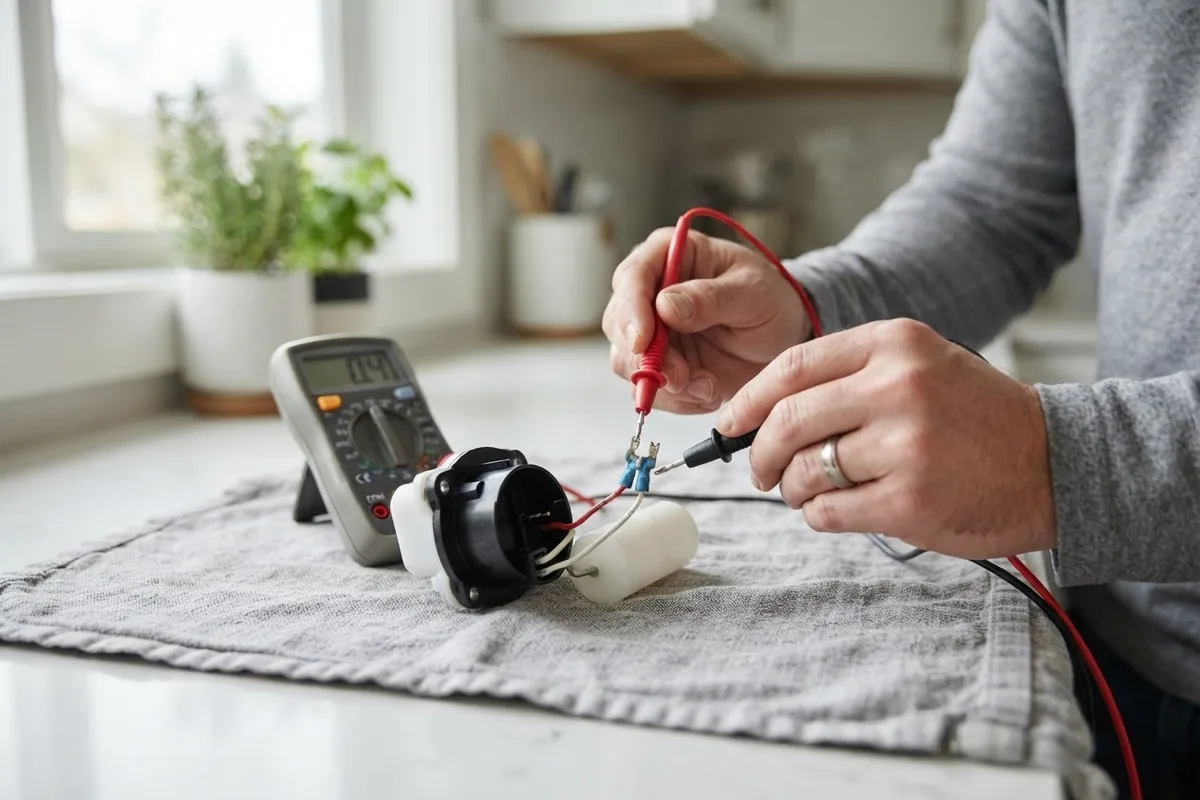
Your dishwasher door latch houses sensitive interlock switches engineered to cut power to the wash motor whenever the door unlatches. If a switch shorts internally or mechanical debris prevents the latch assembly from releasing, the control unit misreads the door position and keeps components powered. Much like troubleshooting a dishwasher door won't open, diagnosing the latch mechanism requires inspecting the upper inner door assembly.
- Disconnect all electrical power at the circuit breaker.
- Open the dishwasher door and remove the perimeter Torx or Phillips screws along the inner door liner to separate the front console.
- Locate the door latch mechanism mounted at the top center of the frame.
- Inspect the plastic switch body for signs of heat distortion, loose wiring terminals, or broken actuator levers.
- Detach the wiring harness leads and test each switch terminal with a digital multimeter set to the continuity or ohms setting. The reading should transition cleanly from open (infinite resistance) to closed (near zero ohms) as you manually toggle the latch.
Test the Main Control Board for a Stuck Relay
The main electronic control module contains miniature mechanical relays that route high-voltage alternating current to the wash motor, drain pump, and heating element. If an electrical spike or long-term component wear causes a relay's internal contacts to arc and weld together, electricity flows constantly to that part regardless of cycle position. This failure shares similarities with issues that explain why is your dishwasher overheating.
- Confirm the appliance is completely isolated from electrical power.
- Access the main control board, which is typically mounted inside the door console or behind the lower kickplate access area.
- Unclip the plastic protective housing to expose the printed circuit board.
- Visually inspect the board for scorch marks, melted solder points, swollen capacitors, or a noticeable electrical burning smell.
- If a relay has welded closed, the board cannot be safely repaired by hand and requires a direct manufacturer replacement. Take a clear photograph of all wire connections before unplugging the harnesses to make reinstallation simple.
Clear Stuck Buttons on the User Interface Panel
Kitchen grease, steam condensation, and spilled liquids can seep beneath the buttons on the front control fascia over time. If a cycle start button or wash option key sticks down mechanically, the user interface continues sending a persistent run signal to the control module, ignoring your attempts to cancel the cycle.
- Turn off power at the main breaker to avoid accidental cycle activations.
- Inspect every individual button or touch zone across the control console.
- Press each button firmly, checking for a positive tactile rebound. If a button feels mushy or stays depressed, buildup around the perimeter is likely the culprit.
- Dampen a clean microfiber cloth with a small amount of isopropyl alcohol and carefully wipe around the edges of the sticky keys to dissolve grease.
- Inspect the flexible ribbon cable connecting the keypad to the main control board. Unseat and inspect the ribbon connector, wiping away any corrosion before seating it firmly back into place.
Inspect the Water Inlet Valve for Mechanical Jams
A dishwasher can appear unable to turn off when it is actually caught in an ongoing cycle of filling and draining. If the solenoid water inlet valve behind the bottom kickplate develops a mechanical failure—such as mineral sediment jamming the rubber diaphragm open—water continuously pours into the basin. The machine's upper flood float will continuously trip the drain pump to prevent your kitchen floor from flooding.
- Shut off electrical power at the breaker and close the hot water shutoff valve beneath the sink.
- Remove the lower access panel to view the water inlet valve, where the household water line connects to the machine.
- Check inside the tub. If water continues rising or trickling in while the power is completely off, the valve has failed mechanically.
- Unscrew the water supply line and inspect the small mesh inlet screen for hard water mineral scale or debris.
- If cleaning the screen does not restore proper valve sealing, install a new inlet valve assembly.
When to Call a Pro
Clearing a simple float switch obstruction, wiping clean sticky console buttons, or performing an electrical reset are manageable tasks for confident homeowners. However, when troubleshooting points toward burned circuit boards, internal motor shorts, or recurring leaks beneath the tub frame, calling a professional is the smart move. Diagnosing live high-voltage connections and intricate internal wiring carries real safety hazards. Typical professional dishwasher repair costs range from $130 to $350, though final pricing varies by geographic area, machine brand, and the specific replacement parts needed. If you prefer experienced diagnostic support or need help sourcing component assemblies, True Appliance Repair can match you with a local appliance pro to get your dishwasher back to reliable daily performance.
FAQ
Can I leave my dishwasher running until it finishes on its own?
No, you should never leave a dishwasher running when it refuses to shut down normally. Allowing the drain pump or circulation motor to run continuously without cooling pauses can burn out motor windings and create an electrical hazard. Shut off power at your breaker box right away.
Why does my dishwasher keep running when the door is opened?
When a dishwasher continues to run with the door wide open, its safety flood protection system has almost certainly engaged. If water enters the drip pan under the tub, the float switch activates the drain pump continuously—intentionally bypassing the door interlock—to pump out water and protect your floors.
How do I drain standing water if the dishwasher won't respond?
First, cut electrical power at the breaker box. You can remove standing basin water manually using a cup and sponge, or quickly extract it with a wet-dry vacuum connected to the sump area beneath the lower spray arm.
Will replacing the control board fix a dishwasher that won't turn off?
Replacing the control board will fix the problem if a welded relay or internal logic failure is constantly feeding power to the pump. However, make sure to inspect the lower flood switch and water inlet valve first, as external sensor inputs frequently cause the exact same symptoms.