
A power flicker during a winter storm or a busy stretch of holiday hosting can leave your dishwasher frozen mid-cycle with blinking lights and unresponsive buttons. Before assuming the control board has failed, a quick reset clears most temporary memory glitches in just a few minutes. Follow these six safe DIY steps to reset your dishwasher, restore normal cycles, and recognize when a deeper fault needs a technician.
1. Run a Soft Reset With the Cancel Button
Most modern dishwashers include a built-in soft reset right on the control panel. This command tells the control board to end a stalled program and return the machine to standby without touching your home's electrical panel.
- Keep the dishwasher door latched and locate the Cancel, Reset, or Start/Reset button on the front or top console.
- Press and hold that button firmly with a dry finger for three to five seconds until the indicator lights change or the display clears.
- Wait one to two minutes while the machine wraps up its active sequence and powers down.
- Once all status lights turn off, open the door for ten seconds, close it securely, and start a standard cycle to test the response.
If the machine keeps cutting programs short after a soft reset, look into why a dishwasher finishes cycles too fast.
2. Try a Control Panel Button Sequence
When the Cancel button does not wake up a frozen console, many dishwashers respond to a keypad reset sequence. Exact combinations vary by brand and control style, so check your owner's manual if you have it handy.
- Confirm the dishwasher has power and the door sits closed tightly against the frame.
- Press two alternating option buttons—commonly Heated Dry and Normal, or High Temp and Heated Dry—in a steady back-and-forth pattern three times within eight seconds.
- Watch for all panel lights to illuminate together briefly, signaling that the control board has entered reset mode.
- Press Cancel or wait one to two minutes for the panel to clear, then select a short test cycle.
Avoid tapping rapidly or pressing multiple keys at once. Steady, deliberate presses give the touchpad membrane time to register each input accurately.
3. Perform a Hard Reset at the Breaker
If the keypad stays locked or keeps flashing an unfamiliar error code, a full power cycle clears residual electrical charge from the main control board, much like restarting a frozen computer.
- Dry your hands thoroughly and check whether your dishwasher plugs into an under-sink outlet or connects directly to your home's electrical panel.
- For a plug-in machine, pull the plug straight out of the receptacle. For a hardwired unit, find the dishwasher circuit breaker and flip it firmly to the Off position.
- Wait a full five to ten minutes so the capacitors inside the control board discharge completely.
- Plug the cord back in or flip the breaker back to On, then give the console thirty seconds to reboot before pressing Start.
Never remove a breaker panel cover or touch exposed wiring. If the breaker trips again right away, leave it off and call a repair pro.
4. Turn Off Control Lock and Delay Start
Sometimes a dishwasher does not need a power reset at all—an accidental brush against the console while wiping counters can activate settings that mimic a dead machine. Control Lock freezes every keypad button, while Delay Start holds a cycle silently for hours.
- Inspect the display closely for a small padlock icon, a lit Control Lock light, or a Delay countdown number.
- Press and hold the Control Lock button—often paired with Heated Dry or Sanitize—for three to five seconds until the lock light switches off.
- Press the Delay or Delay Start button repeatedly until the timer returns to zero or the indicator light disappears.
- Press Start and close the door within four seconds on top-control models so the cycle begins right away.
Checking these two settings first can save unnecessary trips to the breaker box.
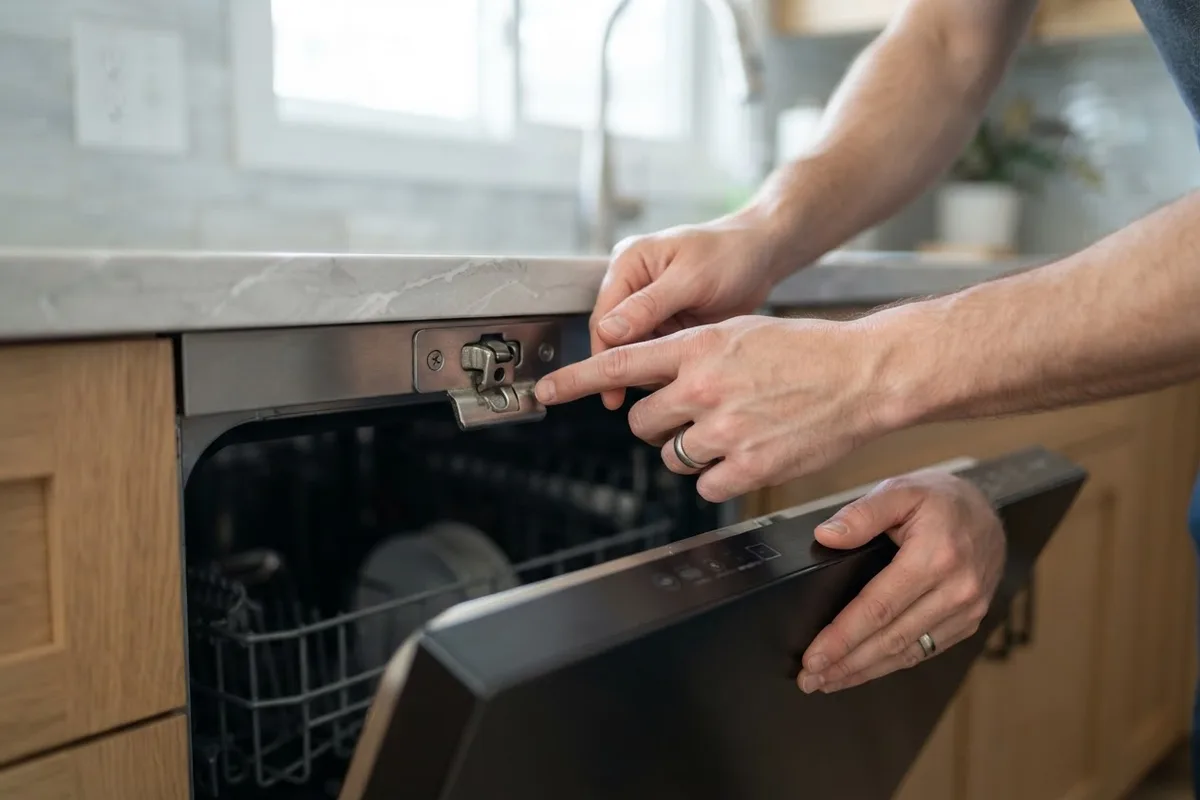
5. Reset and Check the Door Latch Alignment
Your dishwasher relies on door-switch sensors to confirm the door is latched tight before any reset or cycle will run. If the door was bumped mid-cycle or the strike plate shifted slightly, the control board pauses operation as a built-in safety precaution.
- Turn off power at the circuit breaker or unplug the dishwasher before inspecting the latch hardware closely.
- Open the door and inspect the metal strike plate at the top center of the frame to make sure it sits straight and snug rather than bent or loose.
- Verify that the upper rack slides all the way back and that no tall handles are pushing against the inside of the door.
- Restore power, close the door firmly until you hear a solid click, and run a soft reset with the Cancel button.
If the latch sticks or refuses to release, follow these safe fixes for a dishwasher door that won't open.
6. Test the Wall Switch and GFCI Outlet
Before assuming the control board refused to reset, confirm steady electricity is reaching the dishwasher. Many US kitchens route dishwasher power through a backsplash wall switch or a GFCI outlet inside the adjacent sink cabinet.
- Check every wall switch near your kitchen sink to make sure nobody accidentally flipped the dishwasher switch to Off.
- Look inside the cabinet next to the dishwasher for a GFCI outlet equipped with Test and Reset buttons.
- With dry hands, press the GFCI Reset button firmly until it clicks and the power indicator returns.
- For a standard under-sink outlet, unplug the dishwasher and briefly test the receptacle with a small lamp or phone charger to verify live power.
Never force a frayed power cord or keep resetting a GFCI outlet that trips repeatedly—both indicate an electrical issue that requires professional testing.
Quick-Reference Dishwasher Reset Comparison
| Reset Method | Best For | Typical Time | What It Clears |
|---|---|---|---|
| Cancel Button Soft Reset | Stalled cycle or wrong program selected | 1–2 minutes | Active cycle memory |
| Keypad Button Sequence | Frozen console or stuck diagnostic mode | 2–3 minutes | Touchpad glitch and minor codes |
| Circuit Breaker Hard Reset | Blinking lights after a power flicker | 5–10 minutes | Control board residual charge |
| Control Lock & Delay Toggle | Unresponsive buttons or delayed start | Under 1 minute | Accidental lockouts and timers |
| Door Latch Re-Engagement | Machine pauses right after pressing Start | 2–5 minutes | Tripped door-switch interlock |
| Wall Switch & GFCI Reset | Completely dark control panel | 1–2 minutes | Interrupted household power |
When to Call a Pro
DIY resets solve temporary software hiccups, brief power outages, and accidental lockouts, but they cannot repair failing electrical parts. Stop troubleshooting and keep the circuit breaker switched off if you notice a burning smell, scorch marks near the outlet, buzzing from the panel, or a breaker that trips again right after a hard reset.
Call a technician if the console stays dark even when the outlet has confirmed power, or if the same error code returns immediately after a ten-minute hard reset. Those signs often point to a blown thermal fuse, a worn door-latch switch, a damaged keypad ribbon, or a failing main control board. Typical US dishwasher control and electrical repairs run roughly $150 to $450, though exact pricing varies by area and model.
Avoid opening hardwired junction boxes, sealed wiring harnesses, or your home's electrical panel yourself. When a reset does not hold, True Appliance Repair can connect you with local dishwasher repair pros who can test the circuits and replace worn components safely.
FAQ
How long should I leave a dishwasher unplugged to reset it?
Leave the dishwasher unplugged—or its circuit breaker turned off—for at least five to ten minutes. A quick ten-second flip is often too short for the control board's internal capacitors to discharge, allowing the same glitch to remain in memory. Waiting a full ten minutes gives the electronics a fresh reboot.
Why does my dishwasher keep needing a reset?
Frequent lockups usually point to a struggling component rather than a random power blip. Common culprits include moisture entering the upper control panel, a worn keypad membrane, an intermittent door-latch switch, or an aging control board. If you need to reset the unit more than once or twice a month, book a diagnostic check before it fails completely.
Does resetting a dishwasher erase error codes?
A soft cancel reset or ten-minute breaker reset clears temporary alerts on the display so you can start a normal cycle. Most dishwashers still retain recent fault logs in diagnostic memory, and any active mechanical or electrical fault will trigger the code again on the next run. Write down any blinking pattern before resetting so a technician has that clue if the problem returns.
What if none of the dishwasher reset buttons respond?
Start by checking for a Control Lock light, making sure the nearby sink wall switch is on, and testing the under-sink GFCI outlet. If the panel remains dark or unresponsive after a ten-minute breaker reset, stop pressing the keypad and have a technician test the thermal fuse, wiring harness, and touchpad assembly.