
A blinking clean light on your dishwasher means the electronic control system detected an abnormal operating condition and paused the wash cycle to protect the appliance. In most popular models, this pulsing light signals that the internal water failed to reach target temperature during the heating phase. You can often troubleshoot and resolve the issue yourself using straightforward diagnostic steps before booking an in-home service call.
Before touching any electrical component or removing lower access panels, safety comes first. Turn off the dedicated circuit breaker supplying power to your dishwasher, and turn off the shutoff valve on the hot water supply line beneath the kitchen sink. Never service energized wiring, and stop immediately if you notice burned electrical terminal blocks or damaged internal wire harnesses.
Perform a Hard Control Board Reset
Electronic dishwashers rely on an internal microcomputer that logs error codes when cycles fail. Even after the water temperature stabilizes, the control board may keep flashing the clean light until you clear its stored memory.
- Locate your home electrical service panel and switch off the circuit breaker labeled for the dishwasher.
- Leave the breaker switched completely off for at least 10 full minutes to allow the control board capacitors to discharge all residual energy.
- Restore power at the breaker panel and close the dishwasher door firmly.
- If the light continues flashing, run the diagnostic keypad reset sequence common to many Whirlpool, Maytag, and Kenmore models: open the door, press any three functional keys sequentially (such as High Temp, Heated Dry, Normal) three times in rapid succession (1-2-3, 1-2-3, 1-2-3), and close the door.
- Allow the diagnostic self-check cycle to run completely until the panel lights go dark.
If the clean light returns after a reset, the machine is detecting an active hardware fault in the water heating loop.
Check Water Heater Supply Temperature
Dishwashers do not heat wash water entirely from cold. They expect incoming hot water from your home plumbing to arrive at a minimum baseline temperature—usually around 120 degrees Fahrenheit. If the water enters lukewarm, the internal heating element cannot warm the tub quickly enough before the safety timer expires, triggering the flashing clean light.
- Walk over to your kitchen sink before starting the appliance and turn the hot water tap on full blast.
- Let the water run into a cup until the stream feels scalding to the touch, typically 30 to 60 seconds.
- Insert an instant-read kitchen thermometer directly into the running stream; the reading should register between 120°F and 125°F.
- If the reading falls below 115°F, check your central residential water heater thermostat and raise it cautiously to 120°F.
- Always purge the cold water line by running the kitchen sink faucet until hot immediately before pressing start on your dishwasher cycle.
This simple habit ensures hot water enters the tub immediately during the initial fill phase, preventing the heater timeout error.
Inspect the Heating Element for Damage
The heating element is the metal loop resting along the bottom tub perimeter. During wash and dry cycles, this calrod element heats the water and evaporates moisture. When the element cracks, burns open, or ruptures, the water stays cold and the clean light flashes repeatedly.
- Disconnect power to the dishwasher at the circuit breaker.
- Open the door, pull the bottom dish rack completely out of the tub, and set it aside.
- Visually examine the black or silver heating coil around the tub base for blistering, hairline fractures, pitting, or chalky white mineral buildup.
- Run your clean, dry fingers gently along the element tubing to feel for splits or rough burn spots.
- If the element shows physical burns or bubbling, it has burned out internally and requires replacement.
Much like when a dishwasher won't turn off due to stuck control relays, an open heating coil completely halts normal program flow.
Test the High-Limit Thermostat Switch
Every modern dishwasher includes a safety thermostat, known as a high-limit switch, mounted against the exterior underside of the stainless steel or plastic tub. This bimetal disc shuts off power to the heating element if the tub gets dangerously hot. If the switch fails in the open position, the heater receives zero power, prompting the blinking clean light.
- Ensure the breaker switch is turned off.
- Remove the two to four screws securing the lower kickplate panel below the dishwasher door, then set the panel aside.
- Look beneath the tub on the right or left side for a small circular component with two heavy-gauge wires attached.
- Label and gently pull the spade wire connectors off the high-limit switch terminals using needle-nose pliers.
- Set a digital multimeter to the lowest ohms setting (or continuity mode) and touch one probe to each metal terminal terminal on the switch.
- A functional switch at room temperature shows near-zero resistance (continuity); if your meter reads "OL" or infinite resistance, the safety switch is tripped or defective and must be swapped out.
Replacement high-limit switches are inexpensive and snap into a bracket against the tub floor.
Clean the Temperature and Turbidity Sensor
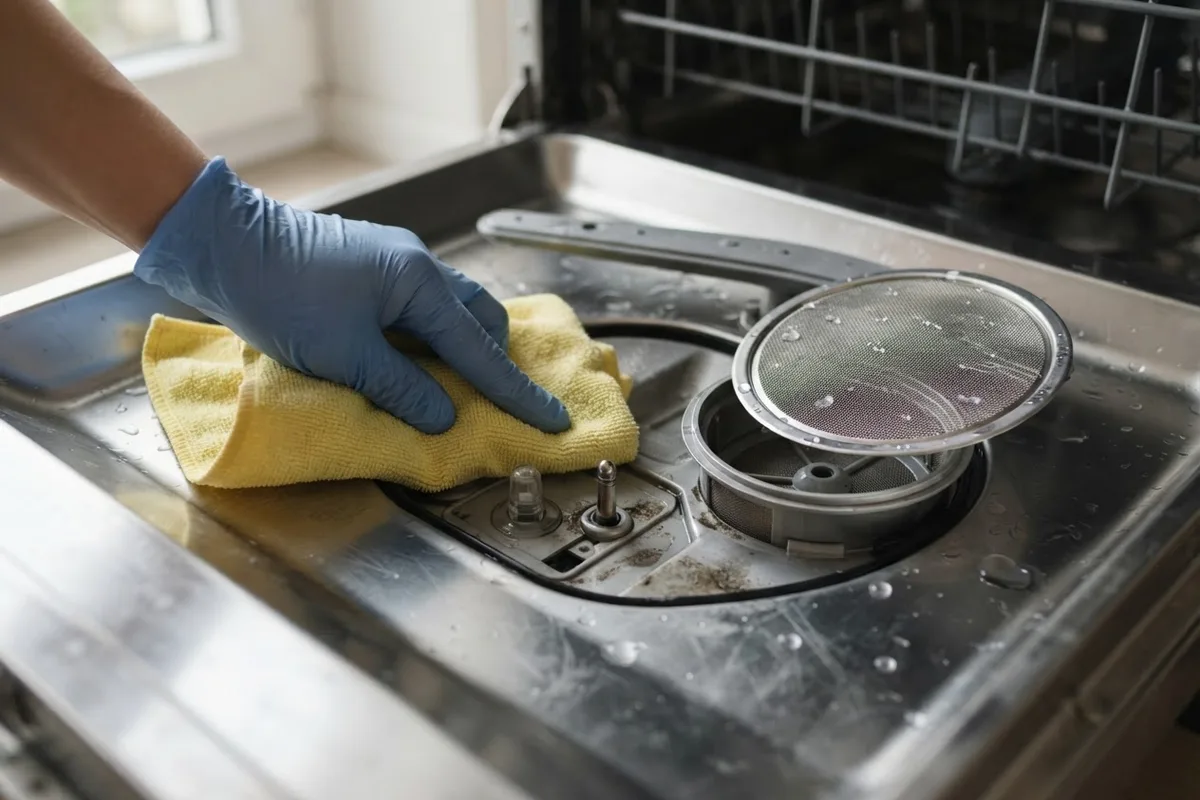
Modern dishwashers utilize a combination Optical Water Indicator (OWI) and thermistor sensor mounted through the bottom sump. This sensor measures both water clarity and water temperature. If cooking oils, calcium crust, or grease coat the sensor lens, it misreads water warmth and misinforms the main control module.
- Shut off electrical power at the main service panel.
- Open the dishwasher door and pull out the lower rack.
- Twist the bottom wash arm retainer counterclockwise to detach the spray arm assembly, then lift out the cylindrical fine-mesh filter basket.
- Locate the small plastic sensor bulb protruding upward into the sump basin below the filter seat.
- Inspect the optical lens; if you see slimy film, food residue, or scale, wipe it clean using a soft microfiber cloth dipped in warm water and mild liquid dish soap.
- Avoid abrasive scrub pads, which scratch the optical sensor window and cause permanent diagnostic misreads.
Reassemble the filter basket, click the spray arm back into position, and run a short test cycle.
Blinking Clean Light Patterns and Causes
| Indicator Light Pattern | Most Common Root Cause | Recommended Action |
|---|---|---|
| 7 Flashes, Pauses, Repeats | Water temperature failed to rise by 5°F during cycle | Test heating element and run hot tap before cycle |
| Continuous Rapid Blinking | Control board logic lock or shorted keypad line | Perform 10-minute circuit breaker hard reset |
| 8 Flashes, Pauses, Repeats | Optical sensor or thermistor out of calibrated range | Clean sump sensor lens; inspect harness connection |
| 4 Flashes, Pauses, Repeats | High-limit safety thermostat open or tripped | Check thermostat continuity with multimeter |
| Light Blinks Right at Cycle Start | Door latch switch fluttering or not seating tightly | Realign door strike and inspect latch switches |
If your unit experiences related latching hiccups where the dishwasher door won't open or close flush, door alignment issues can also interrupt clean light cycle progression.
When to Call a Pro
Most homeowners can reset the electronic board, clean the sump sensor, or purge cold water lines without specialized tools. However, troubleshooting internal wiring harness breaks, repairing burned relay terminals on the main control board, or replacing a deeply recessed circulation pump involves delicate multimeter diagnostics and tight workspace disassembly.
If you have verified that the water heater supplies 120°F water, yet new heating components still receive no electrical voltage, the issue almost certainly lies inside the electronic control board. Replacing a control board or addressing damaged junction box wiring requires precise electrical knowledge. Professional diagnostic visits and basic component replacements typically run between $120 and $280, though total cost varies by area and appliance model. When electrical troubleshooting exceeds your comfort level, True Appliance Repair can match you with an independent local appliance pro for dedicated dishwasher repair.
FAQ
Can I run my dishwasher while the clean light is blinking?
No, the dishwasher locks out all wash cycle selections while the clean light flashes. The control board enters this protective mode intentionally to prevent the motor from cycling unheated water through dirty dishes or operating an energized element without proper monitoring.
How do I know if my heating element is burned out without a multimeter?
Inspect the calrod heating loop under strong flashlight illumination. Physical burns, blistered outer coatings, separation of the metal tube, or deep cracks almost always indicate a burnt-out element. However, an element can fail internally while appearing fine outside, making an inexpensive continuity test the most reliable method.
Why does my clean light blink 7 times?
On Whirlpool, Maytag, Estate, and Kenmore models, seven repeated flashes is the standard diagnostic fault code indicating that the water temperature did not rise the mandatory amount within the programmed timer window. It points directly to a lukewarm water supply, bad heating element, or tripped high-limit switch.
Will hard water make the clean light blink?
Yes, severe mineral scale can coat the heating element and the optical temperature sensor bulb. A thick crust of limescale insulates the heating rod, slowing heat transfer into the wash water, which causes the internal computer to time out before target temperature is reached.