
A sudden, repetitive beep from your kitchen range can be jarring, especially when the unit is not actively cooking. Whether your appliance sounds a continuous alert, chirps at random intervals, or sounds off after preheating, these chimes are built-in alerts indicating an interrupted cycle, a sensor error, or an electrical fault. Before you unplug the entire unit in frustration, you can pinpoint the source of the alarm and restore quiet with systematic troubleshooting.
Always prioritize safety when troubleshooting cooking appliances. Turn off the dedicated circuit breaker at your electrical service panel or disconnect the appliance from its wall receptacle before inspecting wiring or opening panels. If you smell gas near a gas range, immediately turn off the gas shutoff valve, ventilate the area, and leave the house to call your local utility company.
Clear Glitched Control Board Error Codes
Modern electronic ranges utilize a main control board that monitors temperature, timer functions, and safety interlocks. Voltage spikes, brief power flickers, or internal processing loops can cause the control board to hang and sound a repetitive alert chime.
- Check the digital display for an active alphanumeric error code (such as F1, F3, E0, or E1).
- Write the code down for future reference.
- Perform a hard power reset by switching off the oven's dual-pole breaker in your electrical panel for a full 10 minutes.
- Restore power to allow the microprocessors to recalibrate their baseline settings.
If the chime ceases and the display returns to the standard clock interface, a transient power surge was likely the culprit. If the digital display continues blinking or fails to accept inputs, reviewing solutions for an unresponsive oven touchpad can help diagnose a failed electronic control board.
Inspect and Clean the Touchpad Membrane
Spattered cooking oil, moisture, and baked-on grease often seep into the micro-gaps surrounding touchpads and button membranes. When grease bridges the capacitive contacts underneath, the control board registers a stuck key, resulting in rapid, nonstop beeping.
- Disconnect power to the range to avoid activating accidental bake cycles during cleaning.
- Spray a microfiber cloth with a 50/50 mixture of warm water and distilled white vinegar (never spray cleaning fluids directly onto the electronic control panel).
- Firmly wipe down each keypad button to dissolve surface grease film.
- Gently press each button multiple times across the keypad to dislodge any debris caught along the perimeter.
- Dry the surface completely with a fresh towel before restoring power.
If a physical button remains visibly depressed or fails to spring back, the membrane switch may have suffered mechanical failure and will require replacement.
Check the Door Latch and Strike Sensor
Ovens rely on a miniature microswitch located near the door frame to detect whether the door is fully sealed. If the door sags on worn hinges, the strike pin bends, or food debris blocks the latch mechanism, the unit will sound a warning tone because it detects heat escaping.
- Inspect the mechanical door latch along the top or side edge of the oven cavity for crusty food residue or mechanical binding.
- Clean the latch assembly using warm soapy water and a soft nylon brush.
- Examine the door hinges to ensure the door sits square and flush against the front chassis.
- Push the door switch plunger manually with your finger while power is on; if the beeping stops and the interior light turns off, the door alignment is preventing full contact.
Misaligned latches frequently cause lock errors during or after high-heat cycles. If your appliance struggled during a recent cleaning cycle, our guide on resolving oven self-clean problems provides additional steps for adjusting motorized latch assemblies.
Test the Internal Temperature Sensor Probe
Inside the upper rear corner of the oven cavity sits the temperature sensor probe, a thin metal rod that changes resistance as temperatures rise. If this sensor short-circuits or experiences an internal wire break, the oven board misreads internal heat levels, assumes an overheating emergency, and sounds a shrill alarm.
- Ensure the range is disconnected from all electrical power and completely cool to the touch.
- Remove the interior oven racks to access the rear wall.
- Unthread the two mounting screws holding the sensor probe to the back liner.
- Carefully pull the probe forward until the plastic wire harness connector passes through the wall hole, then disconnect the harness.
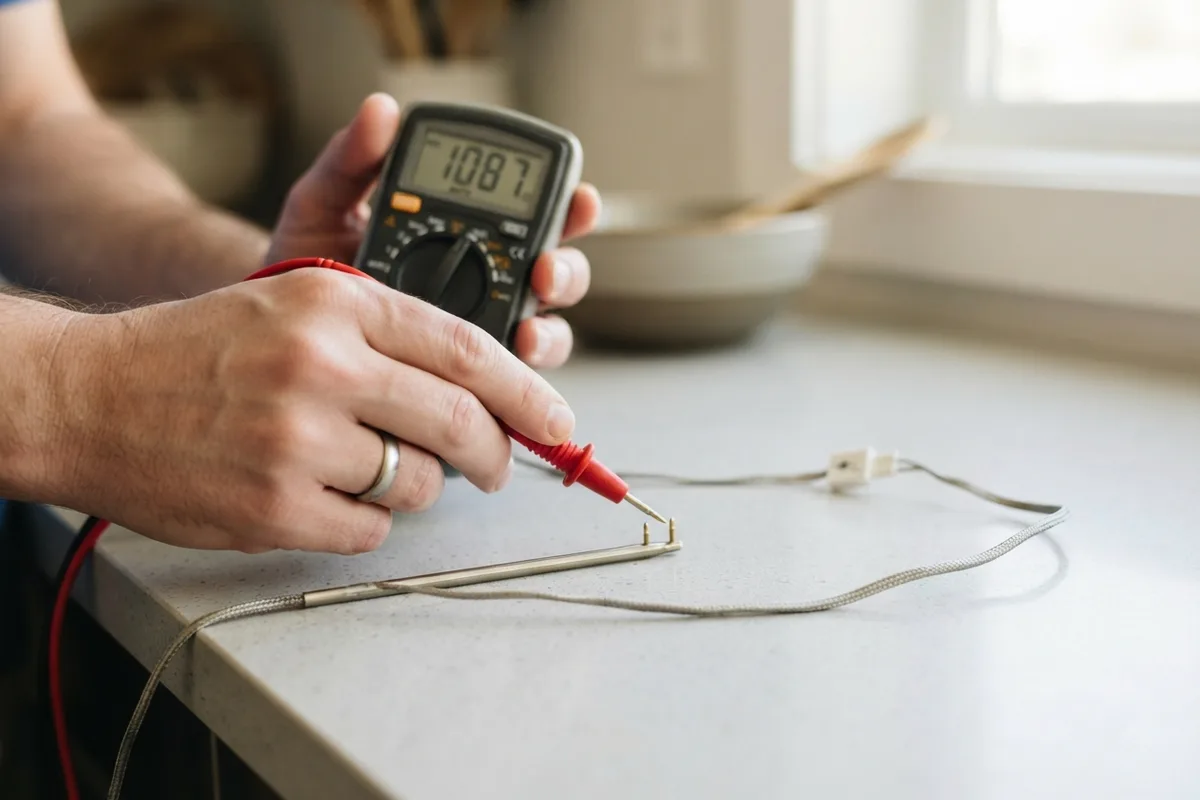
- Set a digital multimeter to the ohms (Ω) setting and measure across the sensor terminals. At standard room temperature (approximately 70°F), a standard RTD oven sensor should read roughly 1,000 to 1,100 ohms.
If your meter displays zero ohms (a direct short) or infinite resistance (an open circuit), the sensor is defective and must be swapped out for an exact replacement part.
Reset the Heating Element High-Limit Switch
Electric and gas ranges incorporate an internal high-limit safety thermostat that trips if temperatures exceed safe operating parameters. When triggered by restricted airflow or failing thermal insulation, the thermostat disconnects the heating circuit and prompts the control panel to sound an overheating warning.
- Cut main electrical power to the appliance at the breaker box.
- Pull the range forward from the cabinetry and remove the upper rear sheet metal access cover.
- Locate the small disc-shaped high-limit switch mounted near the exhaust duct or upper chassis.
- Inspect the wiring terminals for signs of heat discoloration, scorch marks, or loose spade connectors.
- If the switch features a red manual reset button between the terminals, press it firmly until you feel a distinct click.
Reassemble the rear shield before restoring electrical power. If the high-limit switch trips repeatedly during subsequent baking attempts, an underlying airflow obstruction or faulty cooling fan requires deeper investigation.
| Beep Pattern / Symptom | Most Probable Cause | Recommended DIY Action |
|---|---|---|
| Fast, continuous short beeps | Stuck membrane key / grease buildup | Clean touchpad thoroughly; press stuck keys |
| Single beep every 30–60 seconds | Unfinished timer or open door switch | Clear timers; verify door closes firmly against frame |
| Beeps with F1, F2, or F3 display | Defective temperature sensor or board | Test probe with multimeter (aim for ~1,090 Ω at 70°F) |
| Beeping during preheat cycle | High-limit overheat switch tripped | Check cooling fan airflow; reset thermal switch |
| Random beeping when oven is off | Control board line-noise / voltage glitch | Perform 10-minute breaker hard reset |
When to Call a Pro
While external cleaning, door latch alignment, and basic sensor swaps are straightforward DIY projects, internal electronic board repairs and complex wiring faults carry inherent safety risks. If resetting the breaker does not clear random beeping, if you detect a persistent burning odor from the rear control housing, or if your gas range chirps while failing to light the burner igniters, professional evaluation is the safest path forward.
Handling live 240-volt circuits, gas supply lines, or complex relay diagnostics requires specialized training and diagnostic equipment. When troubleshooting reaches the limits of simple DIY maintenance, True Appliance Repair can match you with an independent local appliance pro to diagnose and repair your cooking range quickly and reliably.
FAQ
Why does my oven beep randomly when it is turned off?
Random beeping while the oven is idle usually indicates an electronic control board glitch, line voltage fluctuations, or a stuck button on the touchpad. Spattered cooking oils can bridge contacts inside the membrane switch, signaling the board that a button is being held down. Cleaning the panel and performing a 10-minute circuit breaker reset often resolves the issue.
How do I stop my oven from beeping after a power outage?
When power returns after an outage, the control board reboots into an unconfigured state and beeps to prompt you to set the time. Press the "Clear", "Cancel", or "Clock" button to clear the alert. If the beeping persists, flip the dedicated breaker off for five minutes to let internal capacitors drain fully, then power it back on.
What does an F3 or F4 beeping error code mean?
On most major oven brands, F3 and F4 error codes point directly to an issue within the oven temperature sensor circuit. This signifies that the sensor is open, shorted, or sending resistance values that indicate out-of-range temperatures. Testing the rear sensor probe with a digital multimeter will confirm whether the sensor or the wiring harness needs replacement.
Can a dirty oven cause constant beeping?
Yes. Heavy carbon deposits around the door frame can prevent the door switch from making clean contact, prompting an "open door" alert chime during cycles. Additionally, grease accumulation over the touch controls can simulate pressed keys, triggering stuck-key error tones.