
Walking up to grab a glass of water only to find your refrigerator display not working is an immediate kitchen headache. Without a working screen, you cannot adjust compartment temperatures, switch between ice settings, or check filter alerts, leaving you guessing whether your groceries are staying safely chilled. Before you assume the entire electronic control board has failed, walk through these six straightforward DIY checks to restore power and responsiveness to your fridge panel.
Safety First: Always unplug your refrigerator from the wall outlet or flip the dedicated kitchen circuit breaker to the "Off" position before inspecting wiring harnesses, removing trim panels, or handling internal components. If you need to pull the fridge out to reach the plug, shut off the ice maker water supply valve first so you do not kink or strain the water line.
1. Perform a Hard Power Reset
Modern refrigerators rely on small microprocessors inside the dispenser and control boards. A brief household voltage dip, thunderstorm, or power flicker can cause that processor to freeze up, leaving the LED screen completely dark or unresponsive to touch even while the interior lights and cooling system still work.
- Locate the refrigerator power cord behind the unit or find the labeled kitchen switch in your home's main electrical breaker box.
- Unplug the power cord or flip the circuit breaker completely off.
- Wait a full 5 minutes. Waiting just a few seconds is not enough—the internal capacitors on the main control board need several minutes to fully discharge stored electricity and clear temporary memory glitches.
- Plug the fridge back in or flip the breaker back on.
- Listen for a startup chime and watch the control panel for 60 seconds as the software reboots. If your fridge trips the breaker immediately upon startup, follow our guide on why your refrigerator is tripping the breaker before attempting further resets.
2. Turn Off Control Lock or Sabbath Mode
Sometimes a refrigerator display is not broken at all—it is simply asleep or locked by a built-in feature. Accidental button presses while wiping down the stainless steel doors or curious kids reaching for the ice paddle can trigger Control Lock, Child Lock, Display Off, or Sabbath Mode.
- Look closely at the panel in dim light for a faint padlock icon, a tiny glowing dot, or the letters "Sb" or "Sab."
- To exit Control Lock: Press and hold the button labeled "Lock," "Control Lock," or "Water Filter" (look for a tiny lock icon printed underneath a secondary button) for 3 to 5 seconds until the panel chimes and lights up.
- To disable Energy Saver / Display Off mode: Many modern French-door units turn the screen completely dark after 60 seconds of door inactivity. Open the fridge door or press any single button once to wake the display.
- To exit Sabbath Mode: Sabbath mode disables the display, dispenser, and interior lights for religious observance. Check your owner's manual for the exact two-button combination—commonly holding "Freezer" and "Lighting" or "Door Alarm" and "Water" together for 5 seconds—to return to normal operation.
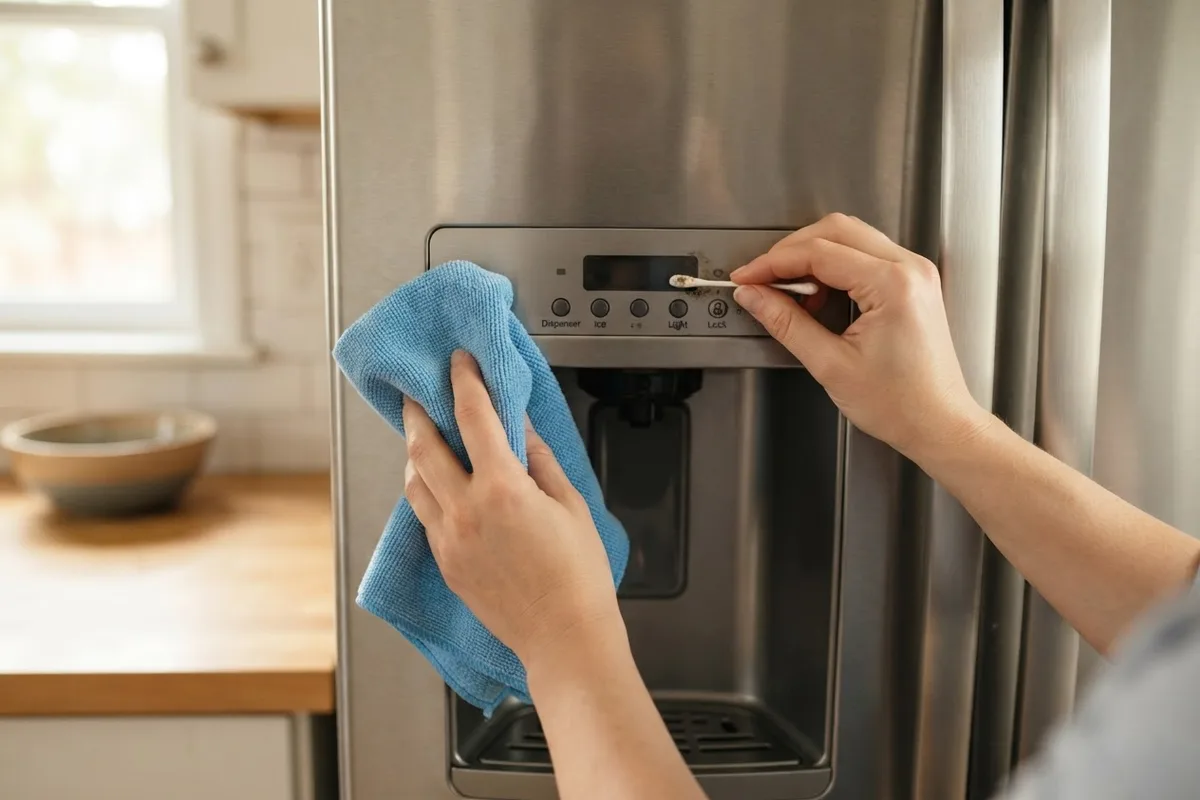
3. Clean Sticky Buttons and Touch Sensors
Because the control panel commonly sits right above the water and ice chute, splashes of juice, soda, coffee, or hard water minerals frequently seep around the edges of mechanical buttons or coat capacitive touch glass. Sticky residue can hold a single button in a permanently "pressed" state, which locks out the entire touch interface so no other commands register.
- Unplug the refrigerator or turn off the control lock so you do not scramble temperature settings while cleaning.
- Dampen a clean microfiber cloth with warm water and a drop of mild dish soap, or use a 50/50 mixture of isopropyl rubbing alcohol and water. Never spray liquid cleaners directly onto the electronic display.
- Gently wipe the entire face of the touch screen to remove grease films and mineral buildup that block capacitive touch sensors from reading your finger.
- For physical push buttons that feel stiff or crusty, dip a cotton swab in rubbing alcohol and trace around the tiny perimeter gap of each button while pressing it in and out to dissolve trapped syrup or grime.
- Wipe the panel dry with a clean lint-free towel and restore power.
4. Check the Door Hinge Wiring Harness
On refrigerators with an external through-the-door dispenser, the display board inside the door receives power and data through a bundle of thin wires routed through the top or bottom door hinge. Every time you swing the refrigerator door open and shut—thousands of times a year—that wire bundle flexes. Over time, the plastic plug can wiggle loose or an individual wire can chafe and snap.
- Unplug the refrigerator from the wall outlet. Never touch wiring harnesses while the appliance has live power.
- Locate the plastic hinge cover on the very top of the refrigerator above the dispenser door (typically the left door on French-door models or the freezer door on side-by-side units).
- Remove the 1 or 2 Phillips screws holding the plastic hinge cap in place and lift the cover off.
- Inspect the multi-wire plastic molex plug resting on top of the hinge. Push the two halves of the connector firmly together until the locking tab clicks.
- Examine the individual colored wires where they bend into the hollow door hinge pin. Look for cracked insulation, pinched wires, or broken copper strands. If a wire is severed, stop and schedule a repair technician to splice or replace the door harness safely.
5. Test the Door Switch and Reed Sensor
Your refrigerator's computer relies on the door switch to know whether the door is open or closed. On many models, an open-door signal disables the external dispenser and dims or locks out certain display functions to prevent water from spraying onto the kitchen floor. If a mechanical plunger switch or magnetic reed switch gets stuck, the display may stay dark or refuse commands.
- Open the refrigerator doors and look along the top interior frame or the side liner wall for a plastic plunger switch (or a flush magnetic sensor zone near the top hinge on newer models).
- Press the mechanical plunger in and out several times with your finger. It should spring back crisply with an audible click.
- If the interior lights do not change when you press the switch, or if the plunger feels gummy, unplug the fridge and clean around the switch housing with a cloth dampened with rubbing alcohol.
- If your refrigerator has lost both its display and its cooling performance at the same time, check whether your refrigerator is cold but the freezer is warm to see if an airflow or fan issue is tied to the door switch.
6. Inspect the Dispenser Display Board for Damage
If power is reaching the door and the hinge harness looks intact, the low-voltage user interface (UI) board behind the faceplate may have suffered moisture damage from high kitchen humidity or a surge on the power line. Sometimes only half of the LED segments light up, leaving unreadable garbled numbers.
- Unplug the refrigerator from the wall.
- Check your model's user guide to see how the front dispenser trim ring releases. On many units, a small hidden slot along the bottom edge of the dispenser frame allows you to gently pry the bezel forward with a plastic putty knife.
- Do not force brittle plastic tabs. Once the assembly tilts forward, inspect the ribbon cable and wire plug connected to the back of the display circuit board.
- Unplug the ribbon connector, wipe away any white corrosion dust with a dry cotton swab, and seat the plug firmly back into its socket.
- Look for dark scorch marks, cracked solder joints, or water condensation inside the board housing. If the board shows visible heat damage, it will need replacement.
Quick-Reference Refrigerator Display Troubleshooting Table
| Display Symptom | Most Likely Cause | First DIY Check | Typical Repair Range* |
|---|---|---|---|
| Completely blank, fridge still cold | Tripped logic, Display Off mode, or loose hinge plug | Unplug for 5 minutes; check top hinge plug | $0 – $250 |
| Padlock icon or buttons chime only | Control Lock / Child Lock enabled | Hold "Lock" button for 3–5 seconds | $0 (DIY setting) |
| Dim screen, "Sb" or no interior lights | Sabbath Mode accidentally activated | Hold model-specific two-button reset | $0 (DIY setting) |
| Missing number segments or flickering | Failing LED user interface (UI) board | Reseat ribbon cable behind dispenser trim | $150 – $350 |
| Blank screen AND warm compartments | Tripped house breaker or main control board failure | Check house breaker panel and wall outlet | $250 – $500 |
Note: Typical US price ranges include parts and labor when hiring a technician; exact costs vary by region, refrigerator brand, and model.
When to Call a Pro
Waking up a sleeping screen, unlocking child controls, and snapping a loose top-hinge connector back together are quick, zero-cost fixes any homeowner can tackle in fifteen minutes. However, you should stop DIY troubleshooting and call an experienced technician if you find frayed or severed wires inside the door hinge, smell burning electronics, notice the compressor and fans are also dead, or suspect the main rear electronic control board has failed.
Testing high-voltage vs. low-voltage DC power between the rear main board and the front dispenser board requires specialized multimeter diagnostics, and prying apart tightly sealed dispenser doors can crack expensive trim panels. When your troubleshooting points to a bad circuit board or pinched wiring harness, True Appliance Repair can connect you with a local pro for dependable refrigerator repair. If you have multiple kitchen machines acting up ahead of the busy hosting season, you can also reach out through our contact page to get matched with an independent technician in your area.
FAQ
Will my refrigerator still keep food cold if the front display is out?
In most cases, yes. If the display failed due to a loose hinge wire, moisture in the touch panel, or a burned-out user interface board, the main control board on the back of the fridge will continue running the compressor and fans at their last saved temperature settings (typically 37°F for the fridge and 0°F for the freezer). Place an inexpensive freestanding appliance thermometer inside both compartments to verify food safety until the screen is fixed.
Why are only half the numbers lighting up on my fridge temperature screen?
Partial numbers or missing lines on a digital readout indicate burned-out LED segments on the dispenser display board or a loose ribbon cable connection. A 5-minute power reset occasionally clears a scrambled display, but permanent missing segments almost always require replacing the front user interface assembly.
How much does it cost to replace a refrigerator display control board?
Replacing a refrigerator front display board or user interface module typically costs between $150 and $350 across the US, though prices vary by area, brand, and door design. If the problem traces back to the main motherboard behind the refrigerator rather than the front screen, typical repair costs range from $250 to $500.
Why does my refrigerator display turn off as soon as I close the door?
Two very different things can cause this. First, many newer refrigerators use an automatic "Power Save" or "Display Off" feature that turns the screen dark a minute after the door shuts—which is completely normal. Second, if the screen cuts out the exact instant the door swings through a specific angle, a broken wire inside the door hinge is losing contact as the hinge pivots.